
Safety and legal information
Read this entire section before you install or turn on the unit.
Power supply
- Rated voltage: 220 V~ / 50–60 Hz. Check that it matches the label on the unit (or 110 V on units made to order).
- It requires a grounded outlet in good condition.
- If the cord is damaged, it must be replaced by the manufacturer or an authorized service center.
Multi-plug adapters, splitters or uncertified extension cords.
Gas cylinders
The rules for gas cylinders (type, valve, color and refilling) vary from country to country and with the conditions of each installation. Always use cylinders approved in the country where the unit is installed, and never use a cylinder brought from another country. In some countries the small internal cylinder is not included from the factory; there may be particular cases, which you can review with Vitte staff.
Use
- Indoor use only: not suitable for outdoor use or for rooms above 30 °C (86 °F).
- Not intended for storing food.
- Do not expose it to direct sunlight or heat sources.
Do not open the unit or handle its interior while it is plugged in. Any internal work must be done by an authorized service center. Any unauthorized repair or modification voids the warranty.
Introduction
What the Vitte Classic is and how it differs from a wine cooler.
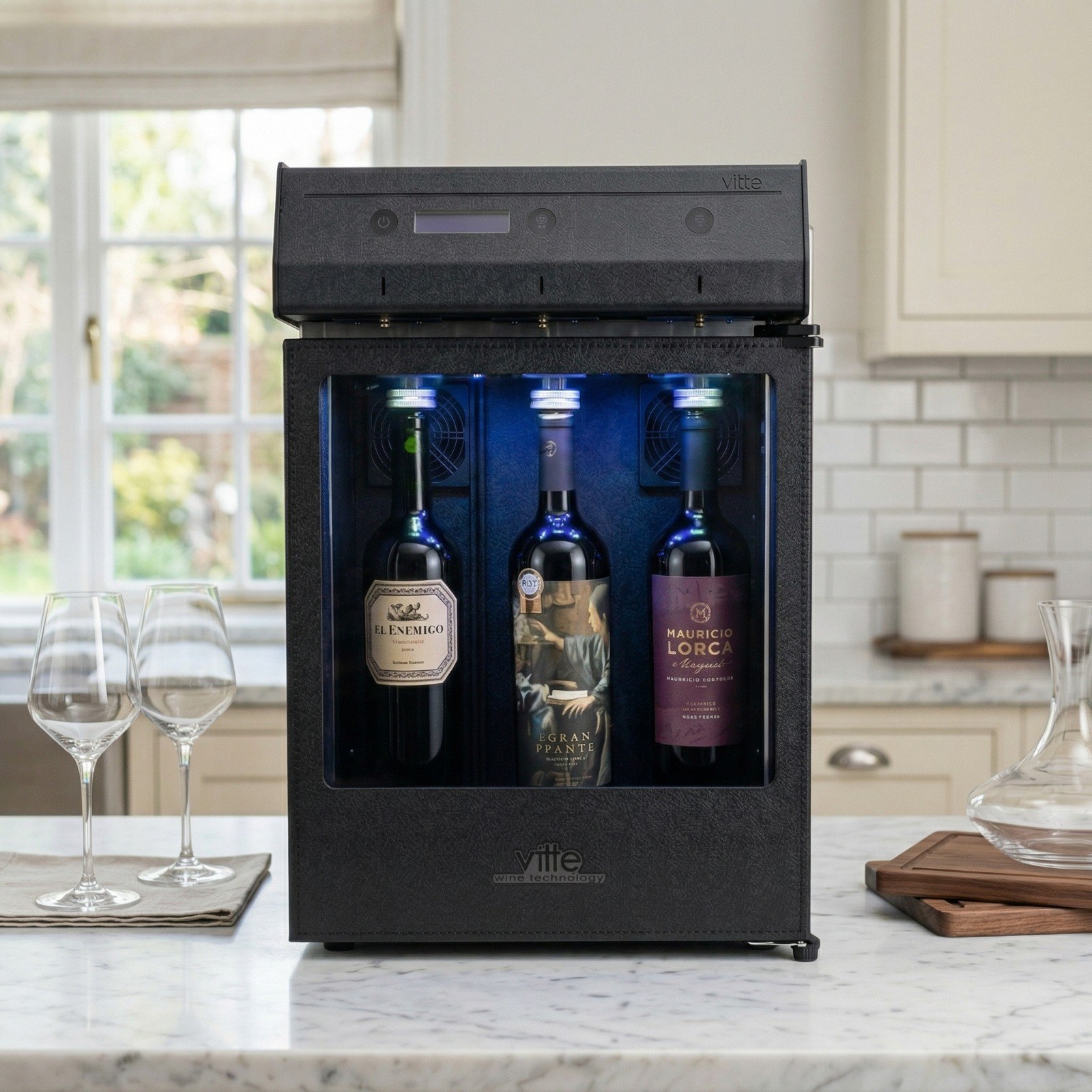
Thank you for choosing the Vitte Classic wine-by-the-glass dispenser. It is designed to preserve, chill and serve wine professionally, both at home and in wine businesses. Unlike a traditional wine cooler:
- It keeps open wine fresh for over 20 days, using inert gas (argon or nitrogen) that prevents oxidation.
- It serves set pours: tasting, half glass or glass, each one adjustable.
- It keeps the wine at the ideal temperature: a single temperature for all 3 bottles, or two zones in the 2-temperature version.
Versions
| Version | Temperatures | Divider |
|---|---|---|
| Classic 1 temperature | A single one, for all 3 bottles | None |
| Classic 2 temperatures | Two zones: bottle 1 (left) and bottles 2 and 3 (right) | Fitted when the zones are set to different temperatures (section 8) |
Need to charge per glass, manage customers or see reports? That is available on the tablet models, Agile and Pro, which have their own manual.
Parts of the unit
The parts you will use every day.
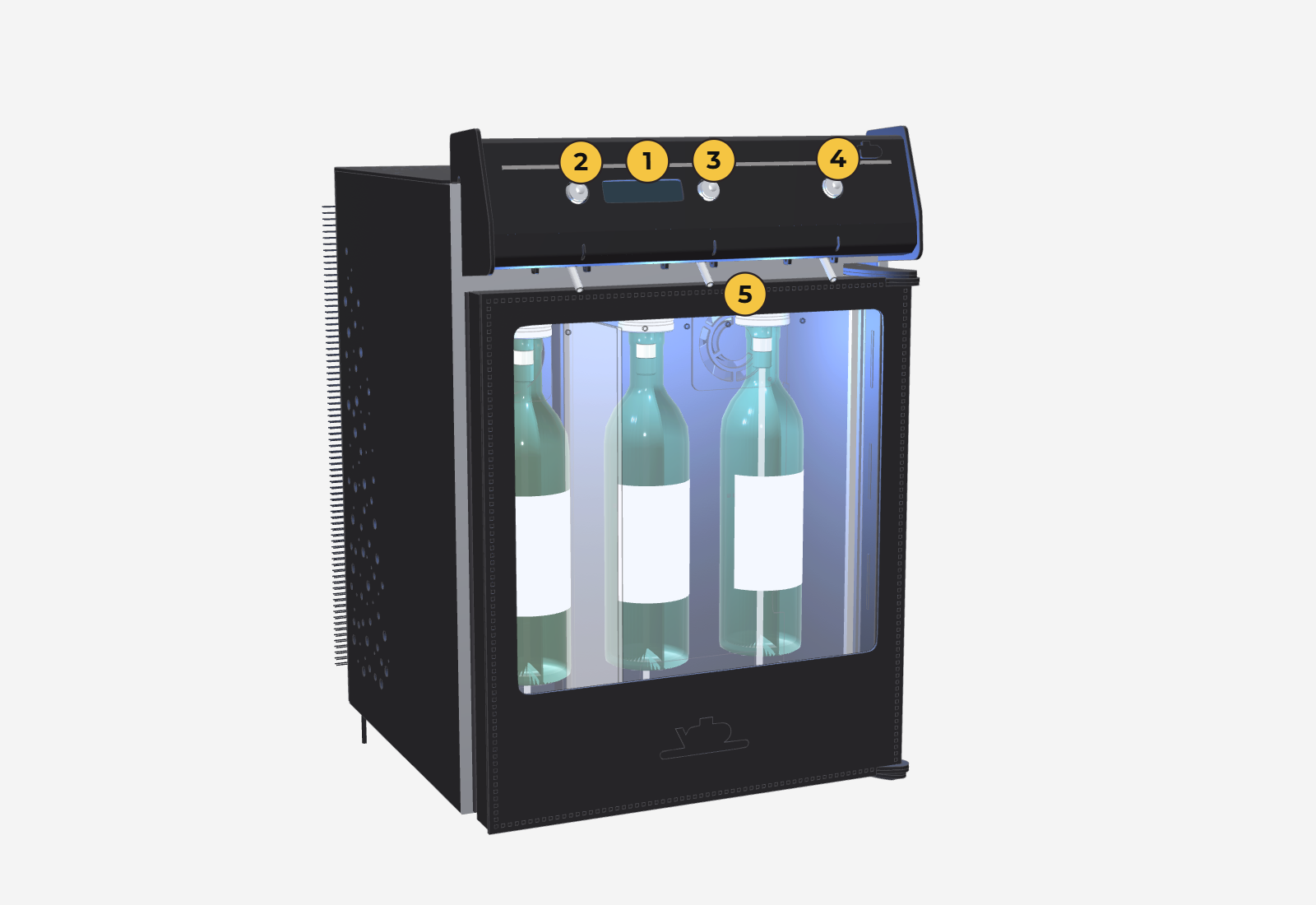
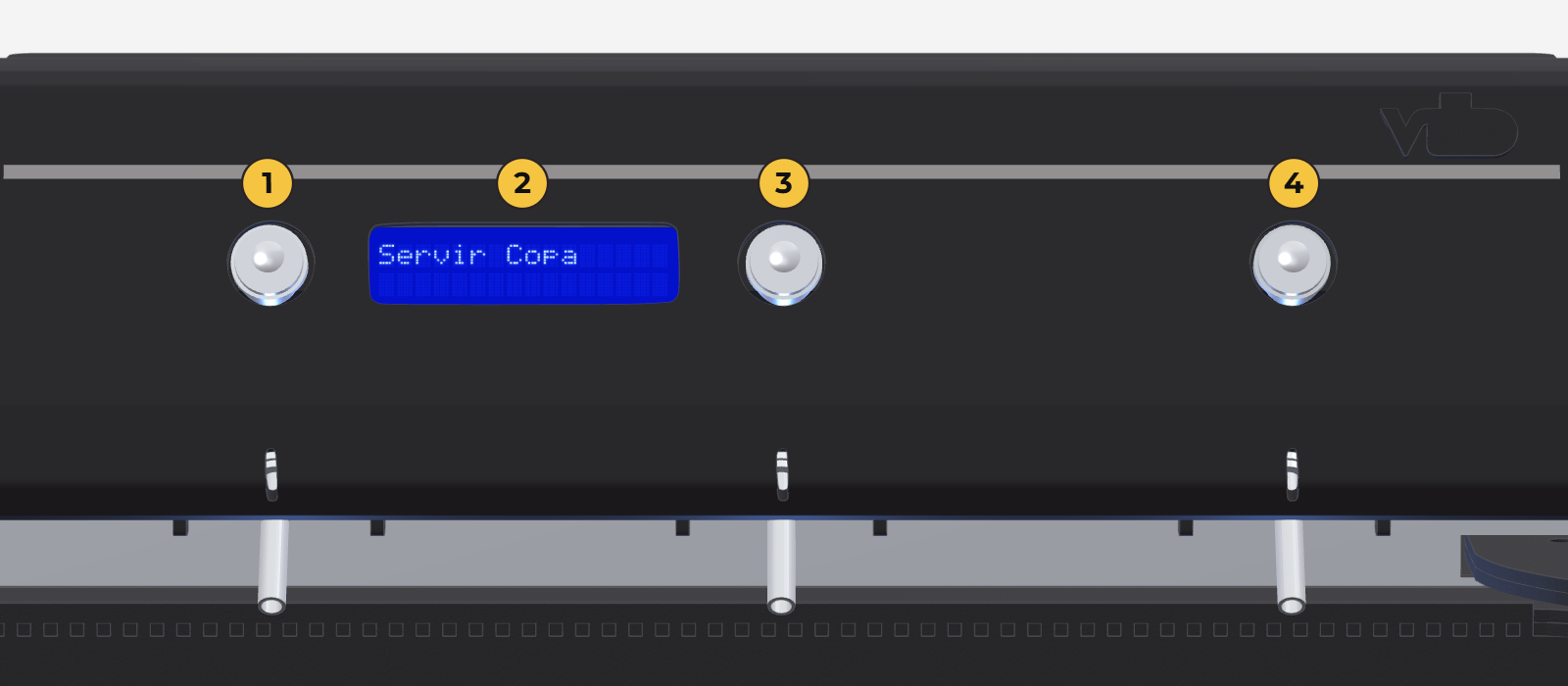
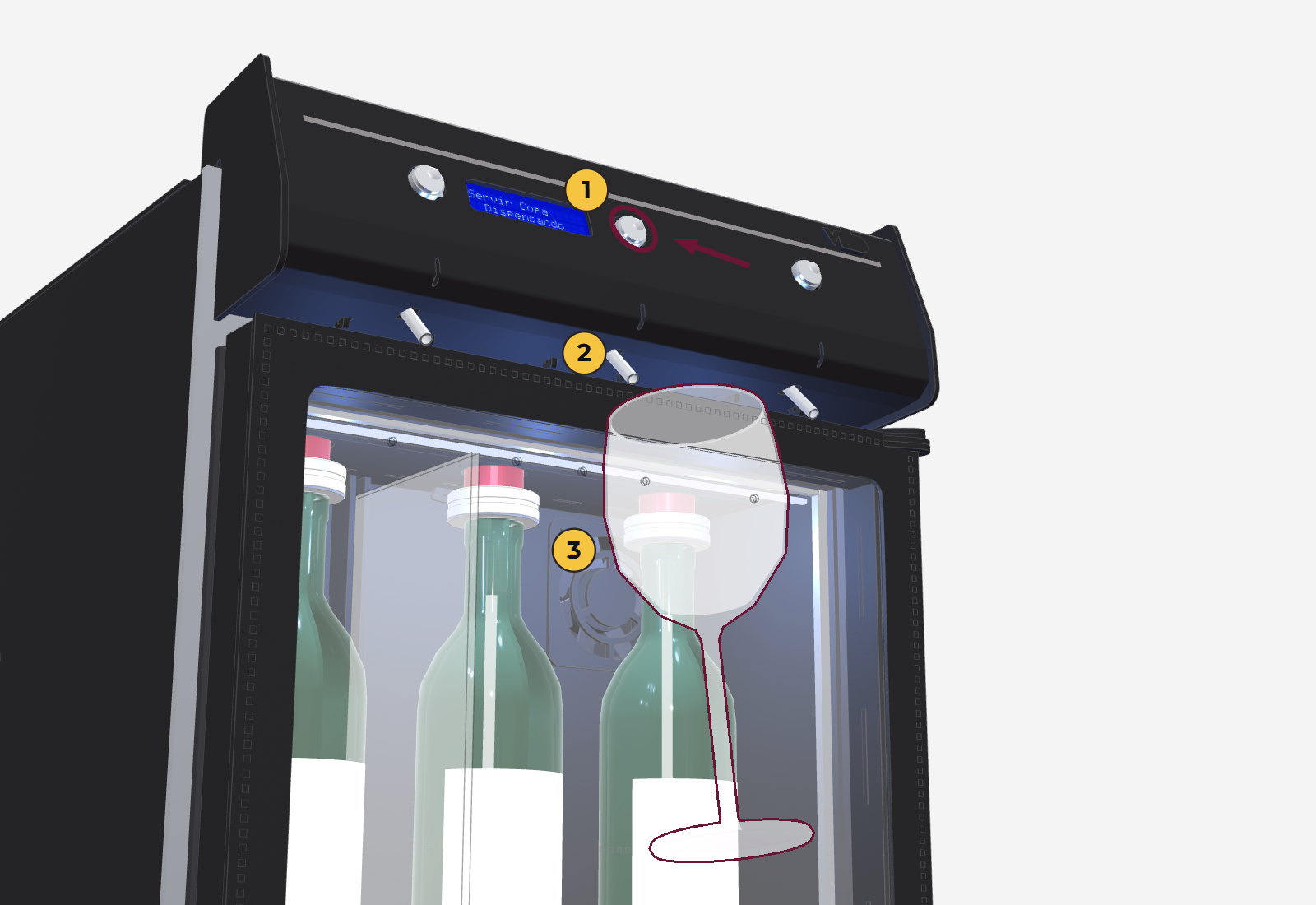
- 1
- Display with 2 lines of 16 characters: shows the selected pour, the countdown and the menu.
- 2
- Button 1: serves from position 1 (left). In the menu, it decreases the value.
- 3
- Button 2: serves from position 2 (center). In the menu, it increases the value.
- 4
- Button 3: serves from position 3 (right). In the menu, it confirms and moves to the next screen.
- 5
- Spouts: the wine outlets, one under each button.
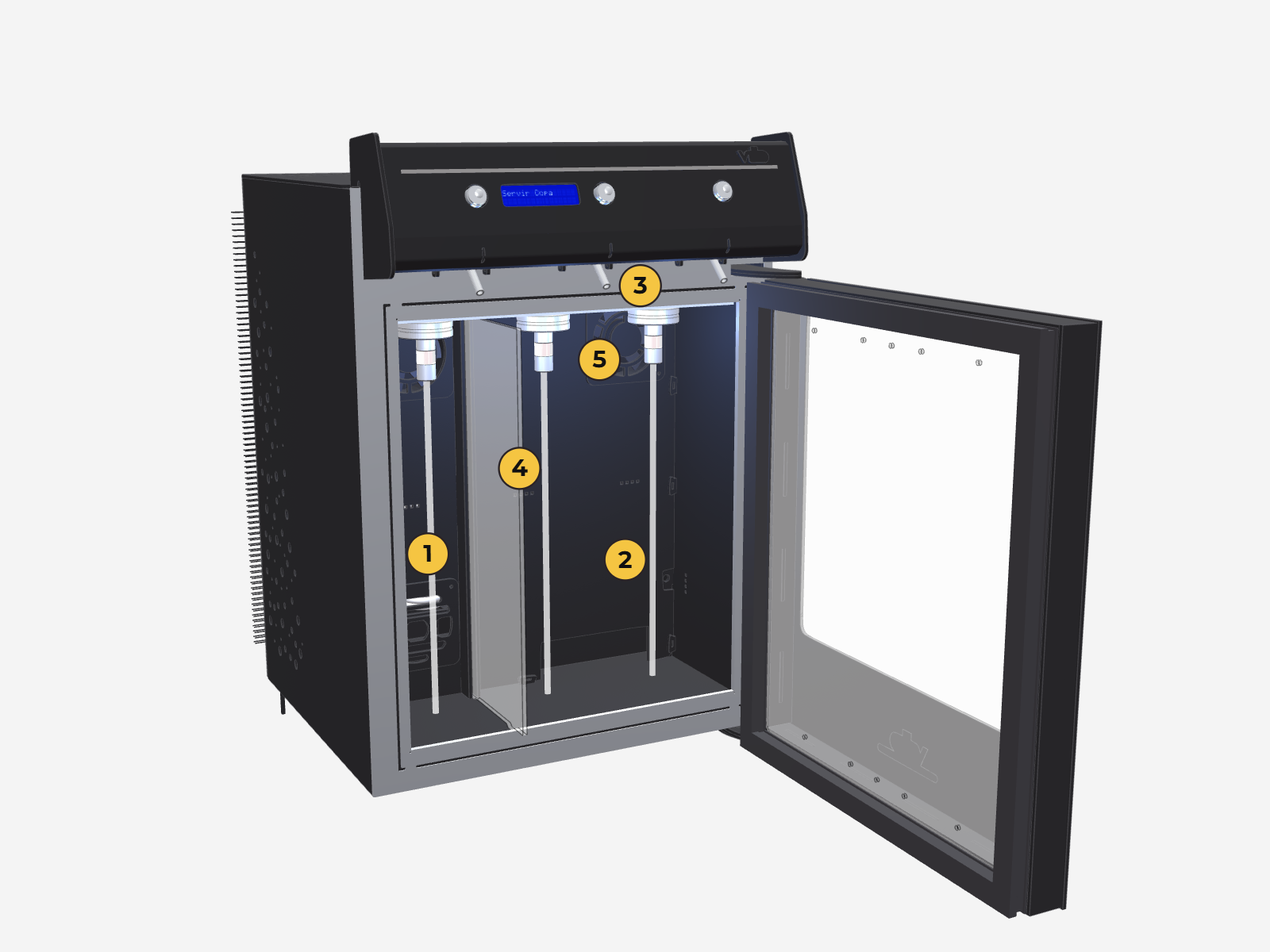
Also: the cooling area with the 3 positions, the divider (2-temperature version), the interior light and the gas connection, for an external cylinder or, where available, a small internal cylinder (depends on the region and the terms of sale).
Installation and startup
From the moment you receive the unit until it is cooling.
When you receive the unit, schedule the installation video call with technical support (free of charge). During the call we explain how it works and help you get it set up.
Physical installation
- When you receive the unit: check the box for dents or tears before unpacking (take photos; you have 48 h to file a claim). Remove the top cover and check for damage.
- Power: 220 V, grounded outlet. Do not plug in the unit if you see any damage.
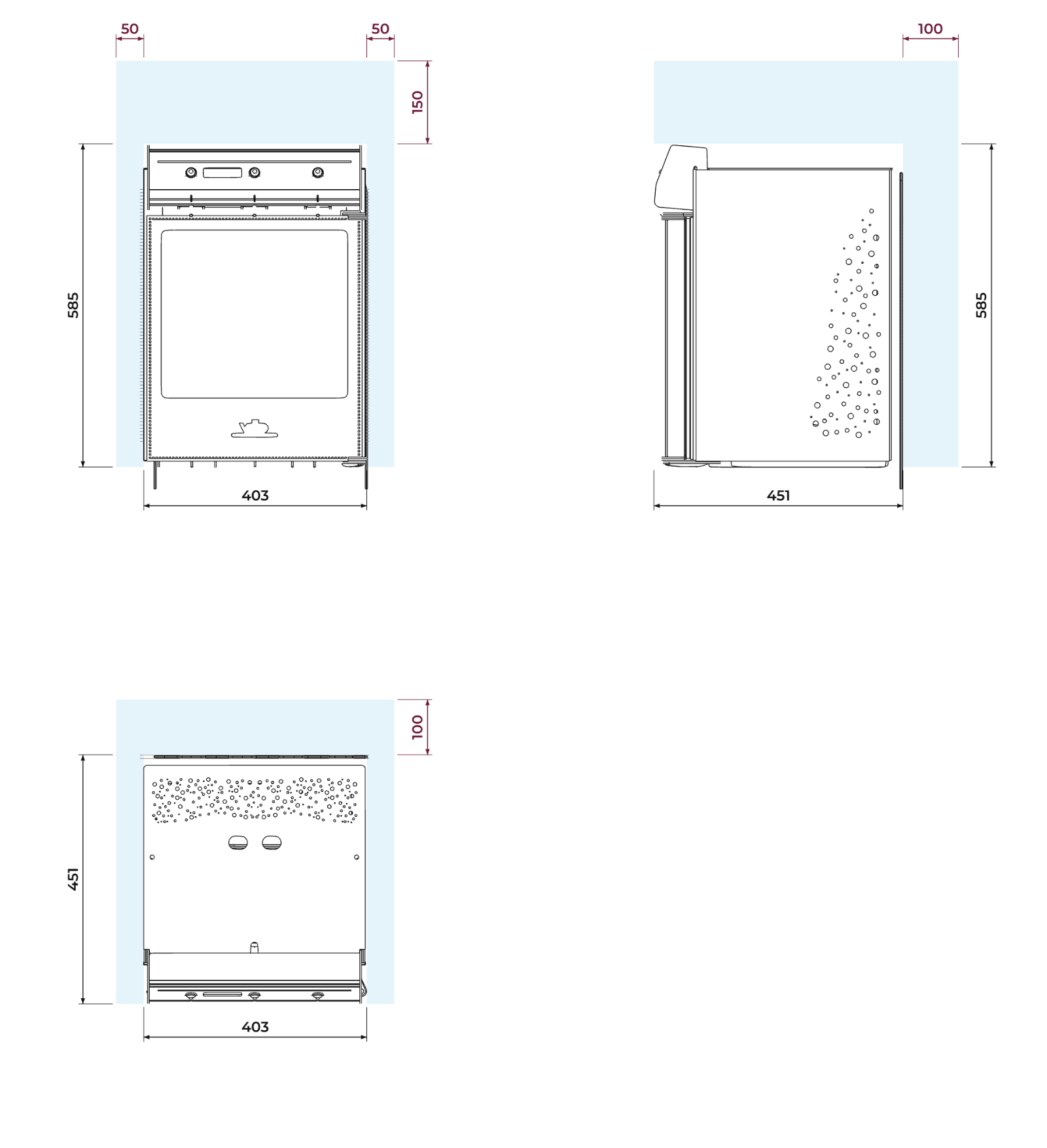
- Location: a firm, level, ventilated surface, away from direct sunlight and heat. Leave at least 10 cm (4 in) behind, 5 cm (2 in) on each side and 15 cm (6 in) above clear for ventilation, also inside a cabinet.
- Rest before plugging in: 4 h if it was always shipped upright; 24 h upright if it was shipped lying down or if in doubt.
- Gas: check that the cylinder is connected and open (see below).
The lower door hinge must rest on the firm surface. Never leave the unit with the door overhanging the edge of the counter or cabinet: the hinge can bend and the door can come off.
The unit is a refrigerator: there may be condensation or water leaks, for example during defrost. If you place it on wooden furniture or any material that moisture can damage, take precautions (for example, a tray or a waterproof mat underneath) so the surface it rests on is not damaged.
Dimensions
| Classic (3 bottles) | |
|---|---|
| Width × height × depth | 403 × 585 × 450 mm |
| Minimum space (with ventilation) | 503 × 735 × 550 mm |
| Power supply | 220 V, 50/60 Hz |
| Power consumption | 230 W |
| Weight | 28 kg (32 kg packed) |
| Color | Black with stainless steel details |
The gas
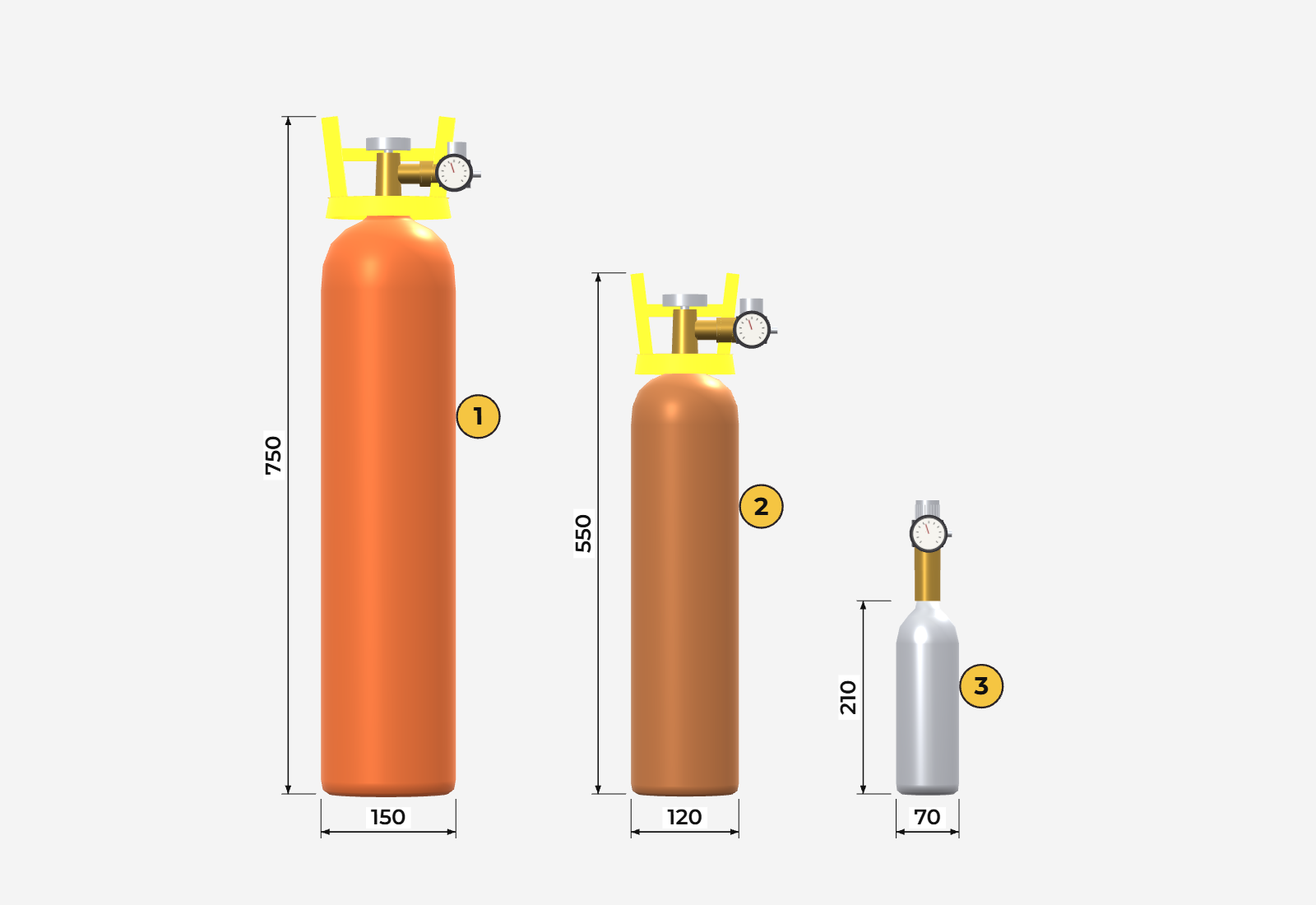
The wine is preserved with argon or nitrogen. The cylinder depends on the region and the terms of sale:
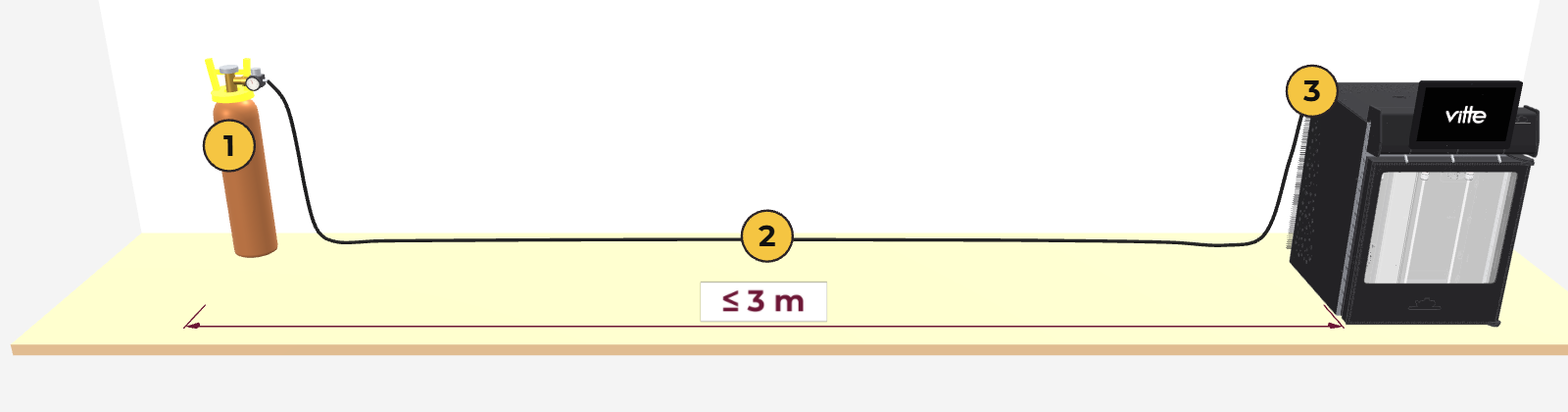
- External cylinder, the usual option. Its size depends on local availability: commonly ½ m³ (about 175 bottles) or 1 m³ (about 350); larger cylinders also work. Its color follows each country's rules (for example, orange in Argentina and brown in Brazil).
- Small internal cylinder (800 cm³, about 30 to 35 bottles): available, but not included from the factory in every region.
Outside the country where the unit is made, the cylinder is usually bought locally from an industrial or welding gas supplier, because each country has its own standards for cylinders and valves; depending on the terms of sale, Vitte may supply it. The pressure regulator and the hose are also supplied according to the region and the terms of sale.
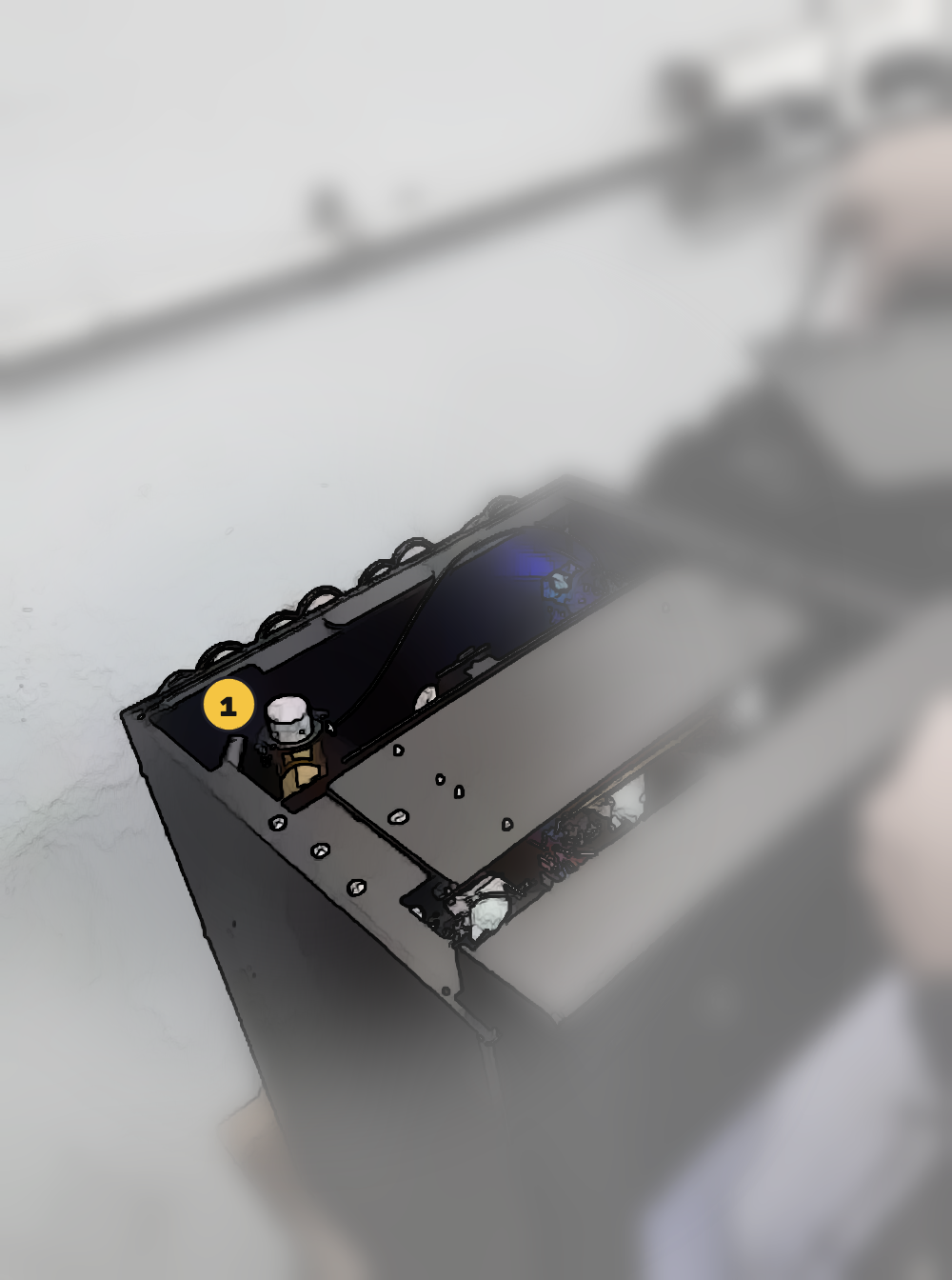
Small cylinder (internal), if your unit has one
It sits under the top cover (held by magnets, lifts straight up), in the back left corner. It opens with the aluminum cap: turn it counterclockwise between a quarter and half a turn. To close it, turn it clockwise until it stops.
The cap has plastic stops that limit how far it turns. Do not force it or unscrew it past the stop: if the cap comes off completely, the pressure can shoot it out and cause serious injury.
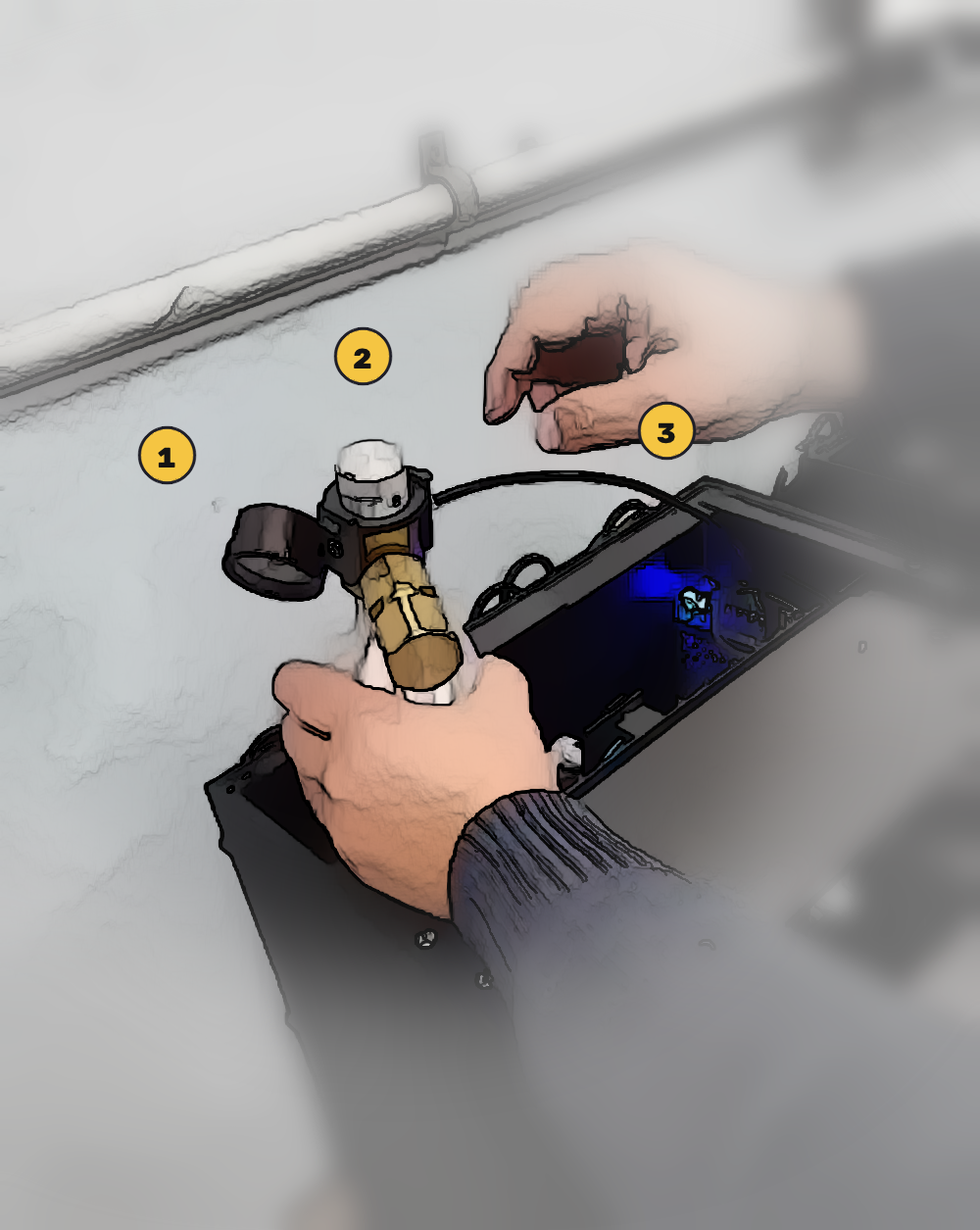
Replacing the small cylinder
- Unplug the unit.
- Remove the top cover and close the cap on the cylinder (otherwise the gas escapes).
- Take out the cylinder and disconnect the hose: press the connector ring against the regulator and, while holding it, pull the hose out.
- On the new cylinder, push the hose all the way in and pull gently to check that it is locked.
- Put the cylinder back in place, open the cap (between a quarter and half a turn), check that the gauge shows pressure, put the cover back on and plug in the unit.
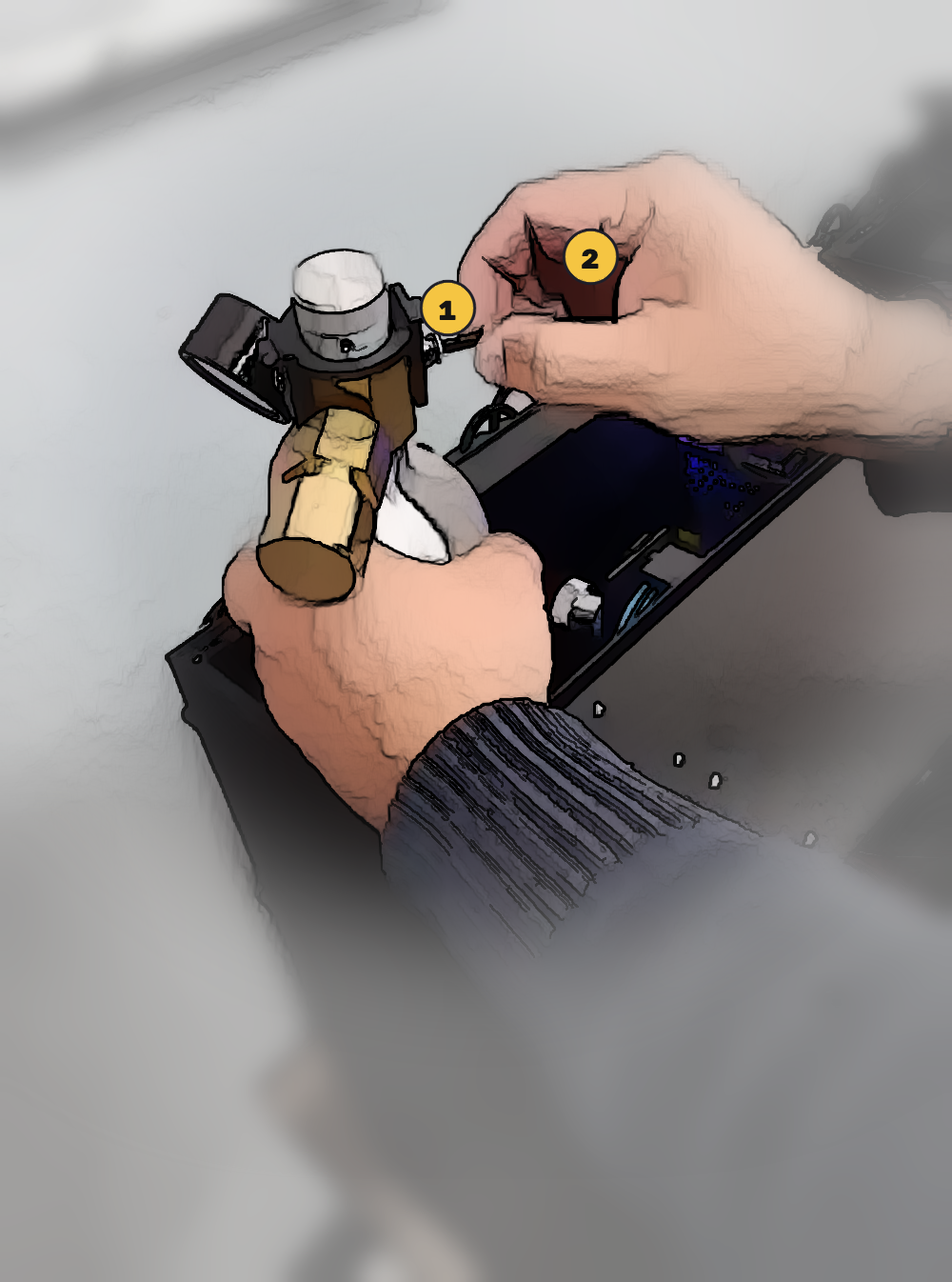
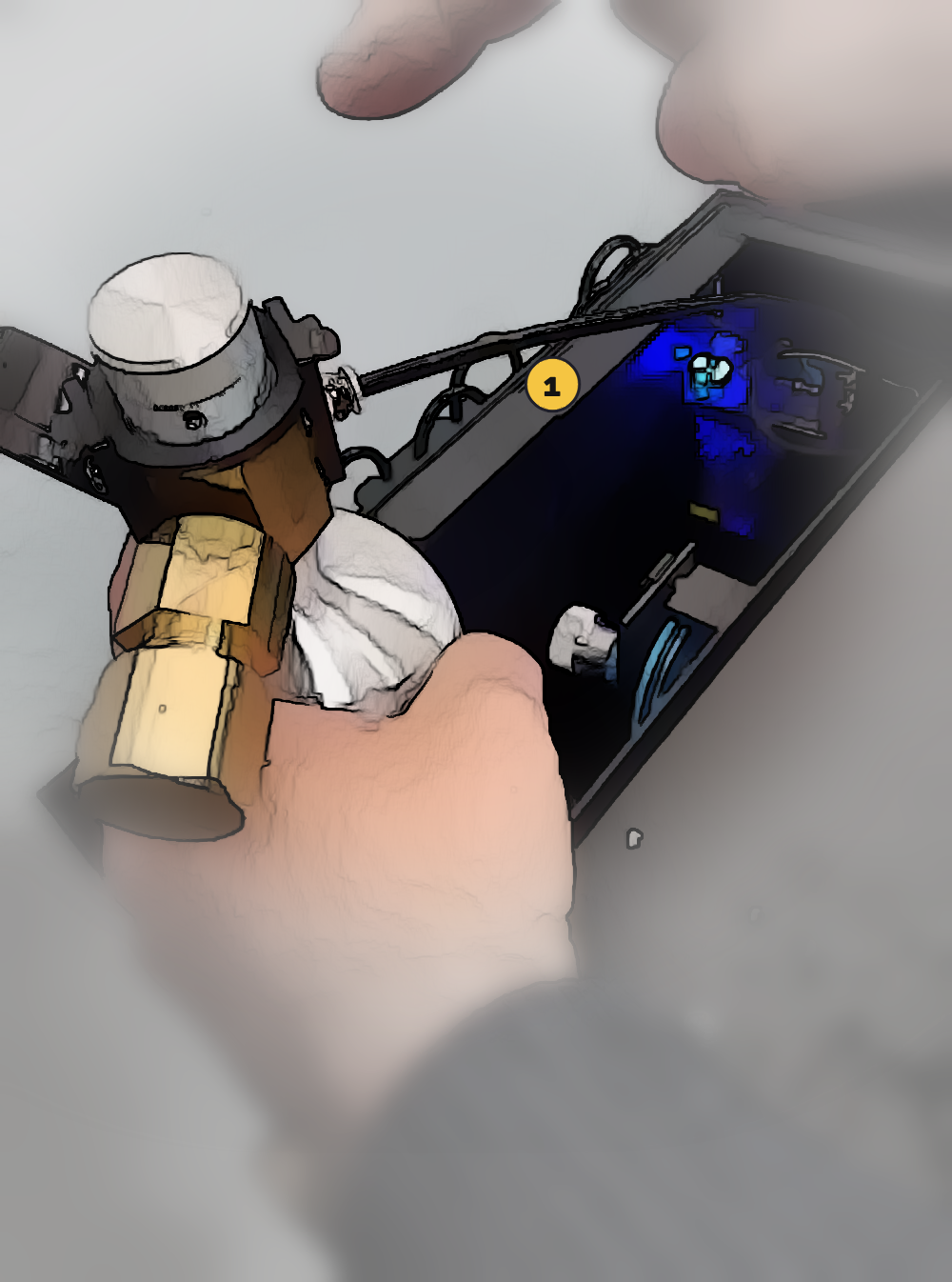
External cylinder
- It always goes outside the unit and does not need to be right next to it: it connects with a 4 mm PVC hose up to 3 m long, which runs through a small hole or gap. It can stand upright or lie down, inside the cabinet or behind the unit.
- The valve is on top of the cylinder: it opens counterclockwise (one turn is enough) and closes clockwise until it stops.
Wherever it is, and especially if it stands upright, the cylinder must be secured so that it is nearly impossible for it to fall. If it falls, the pressure regulator breaks: all the gas is lost and the regulator is ruined.
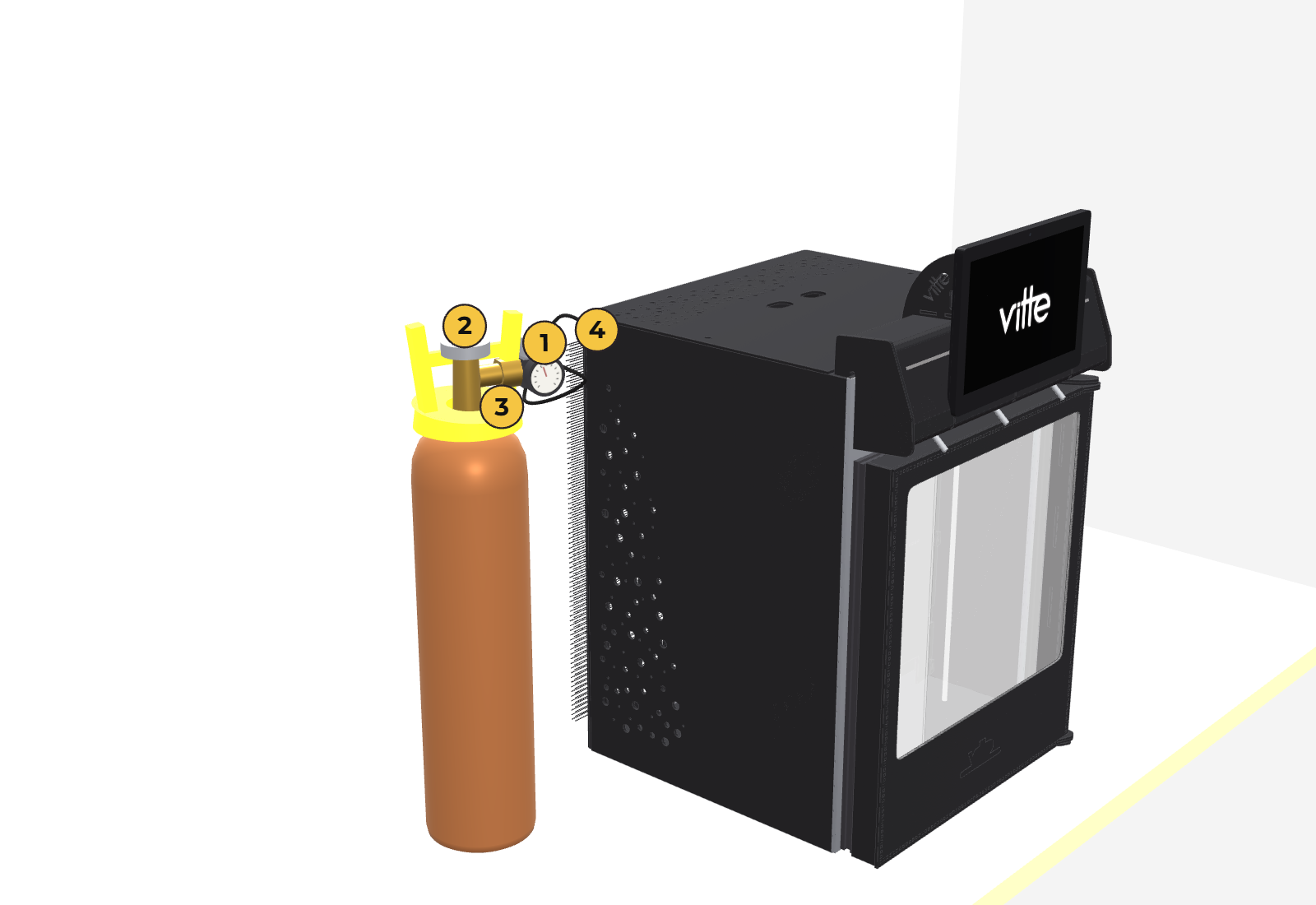
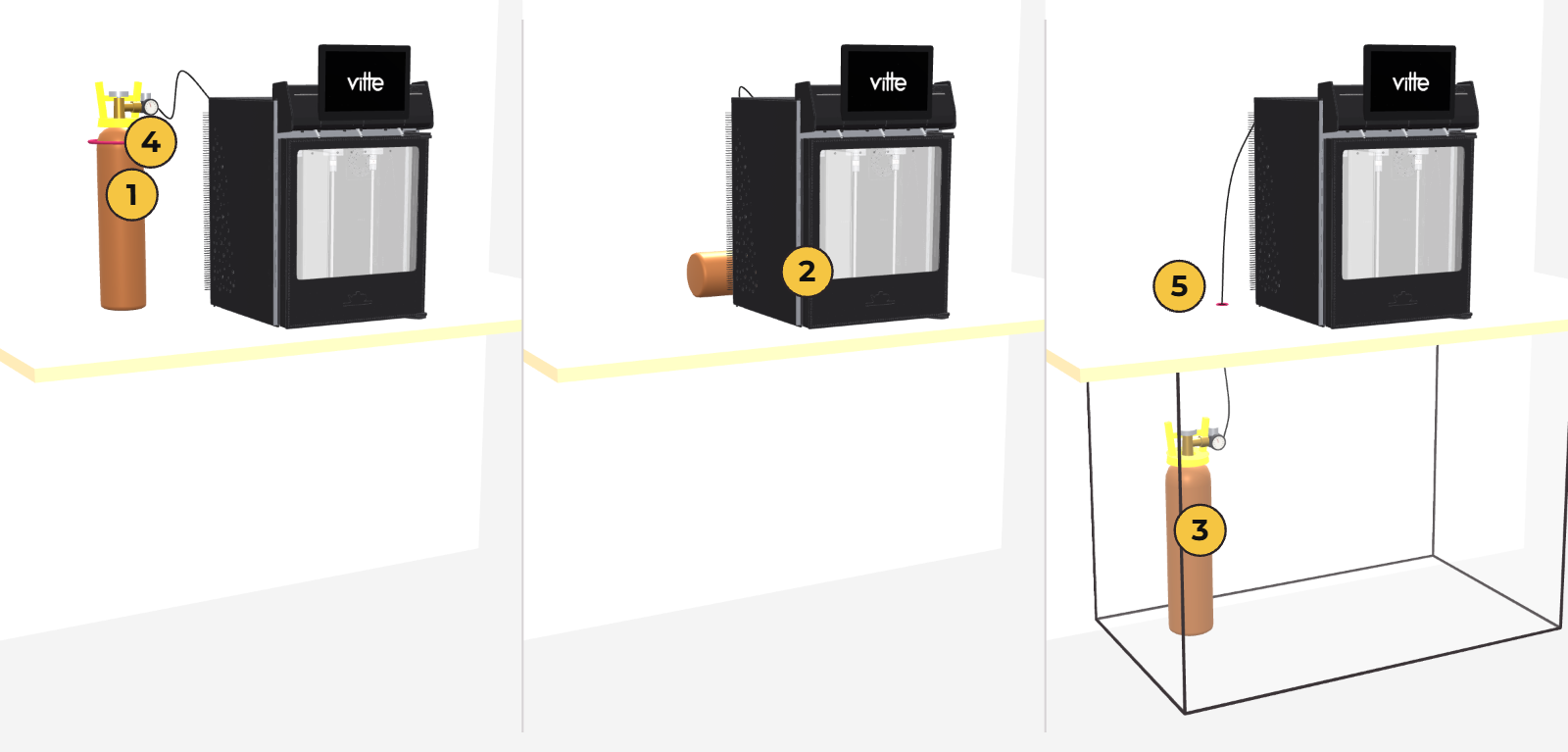
First startup
- Plug in the unit. The compressor starts on its own about 3 minutes later (this is normal: the unit waits to protect the compressor).
- Touch any button: the display turns on.
- Wait for the unit to reach temperature before loading the bottles. If you are going to pour right away, load them already chilled (section 5). You can see the actual temperature in the menu (section 7, “TEMP Real/DEF”).
Loading the bottles
How to hang each bottle in the unit.
It works with standard 750 ml bottles. Some very unusual shapes may not fit.
The unit keeps the wine at serving temperature, but it is not a fast chiller: a bottle at room temperature takes about 2 hours to reach its temperature. Reds, served warmer, are ready sooner; with whites it is more critical. If you are going to pour right away, load the bottle already chilled to its serving temperature.
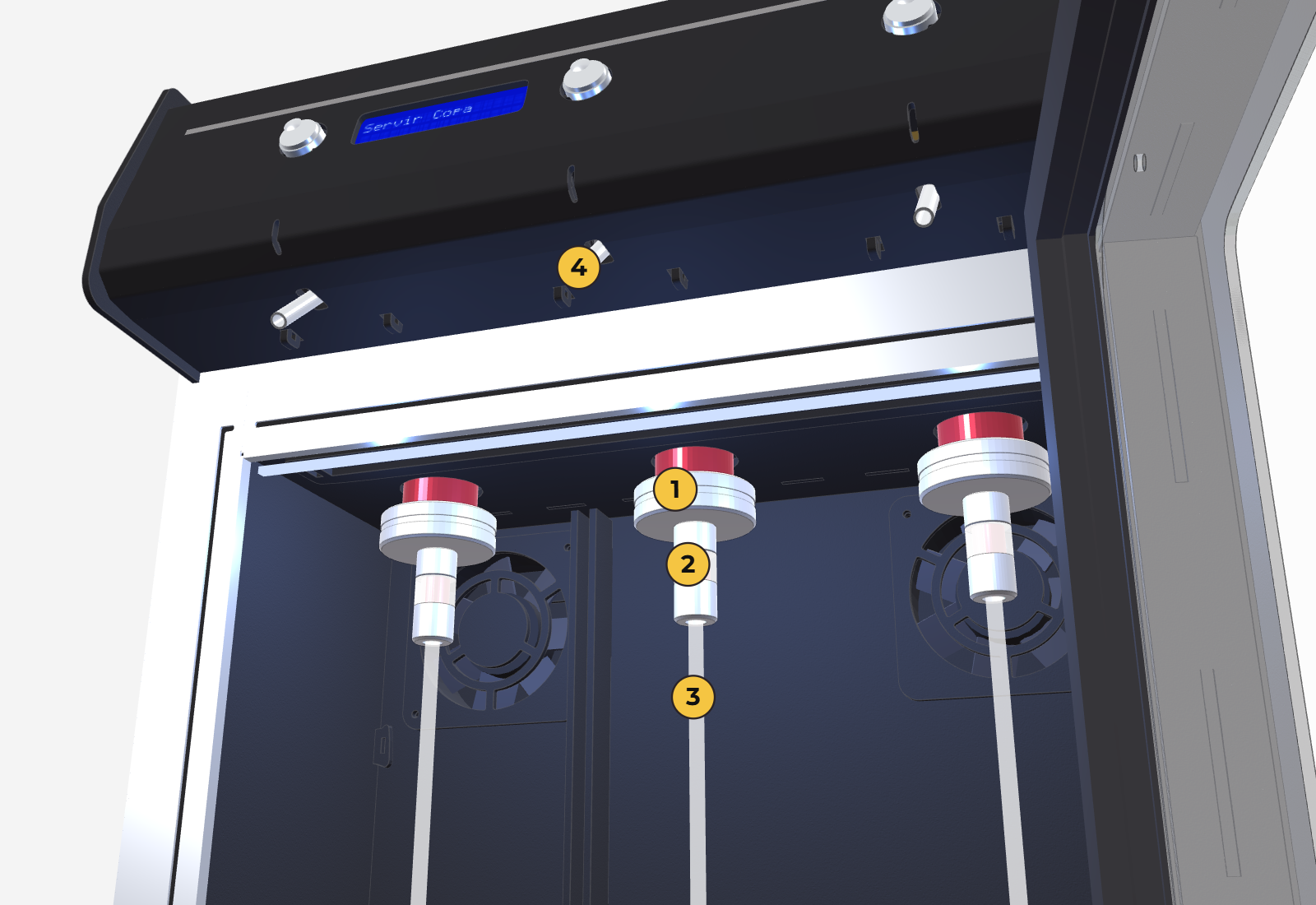
- Uncork the bottle. If it is very full (almost to the top), pour off a little wine: when you insert the hose, the level rises and may overflow.
- Insert the suction hose into the bottle.
- Place the bottle on the hanger and push it up until it stops against the knurled nut.
- Tighten the nut: the silicone bushing expands inside the bottle neck and holds it firmly.
- Turn the bottle so the label faces forward and check that it is held securely.
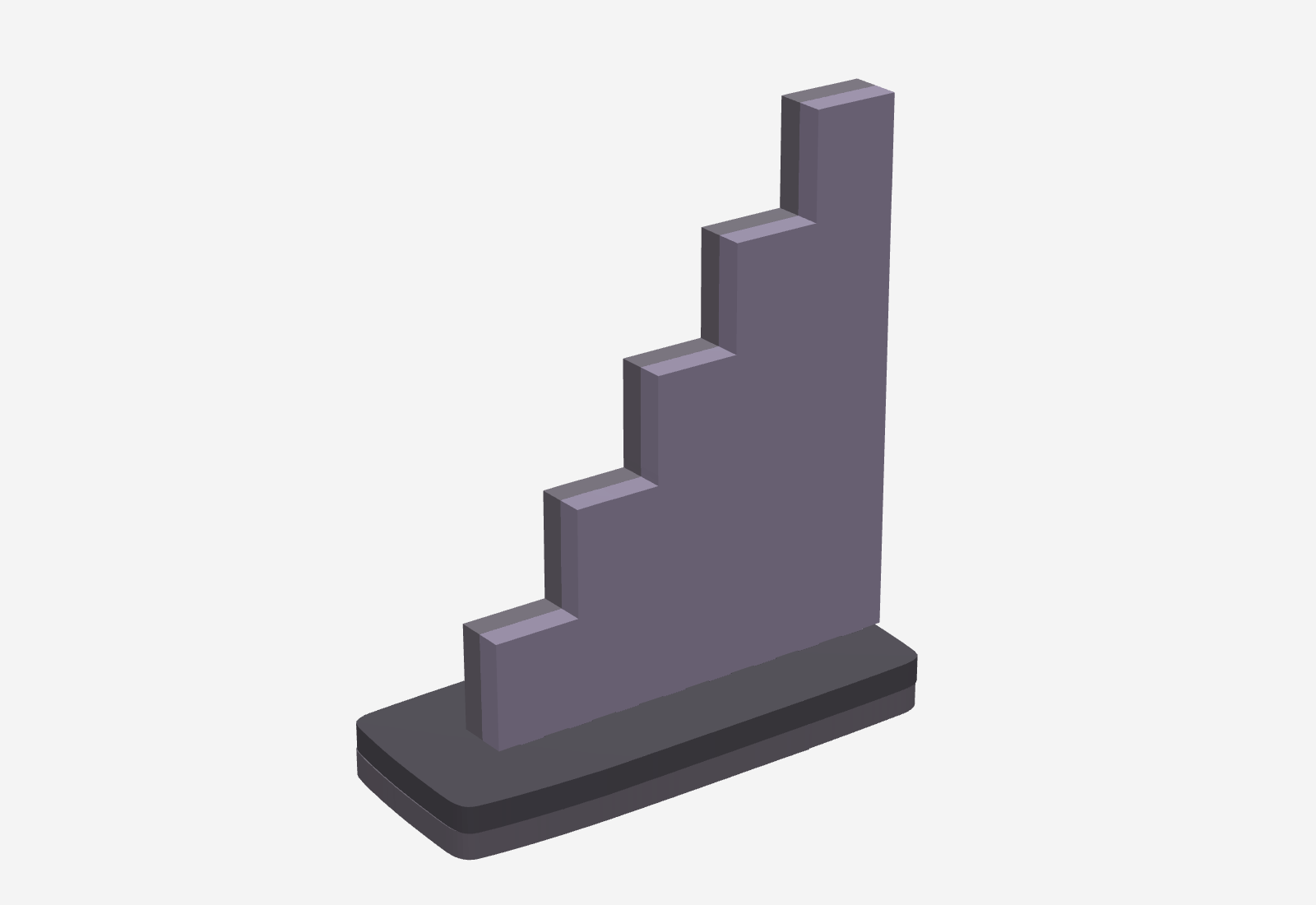
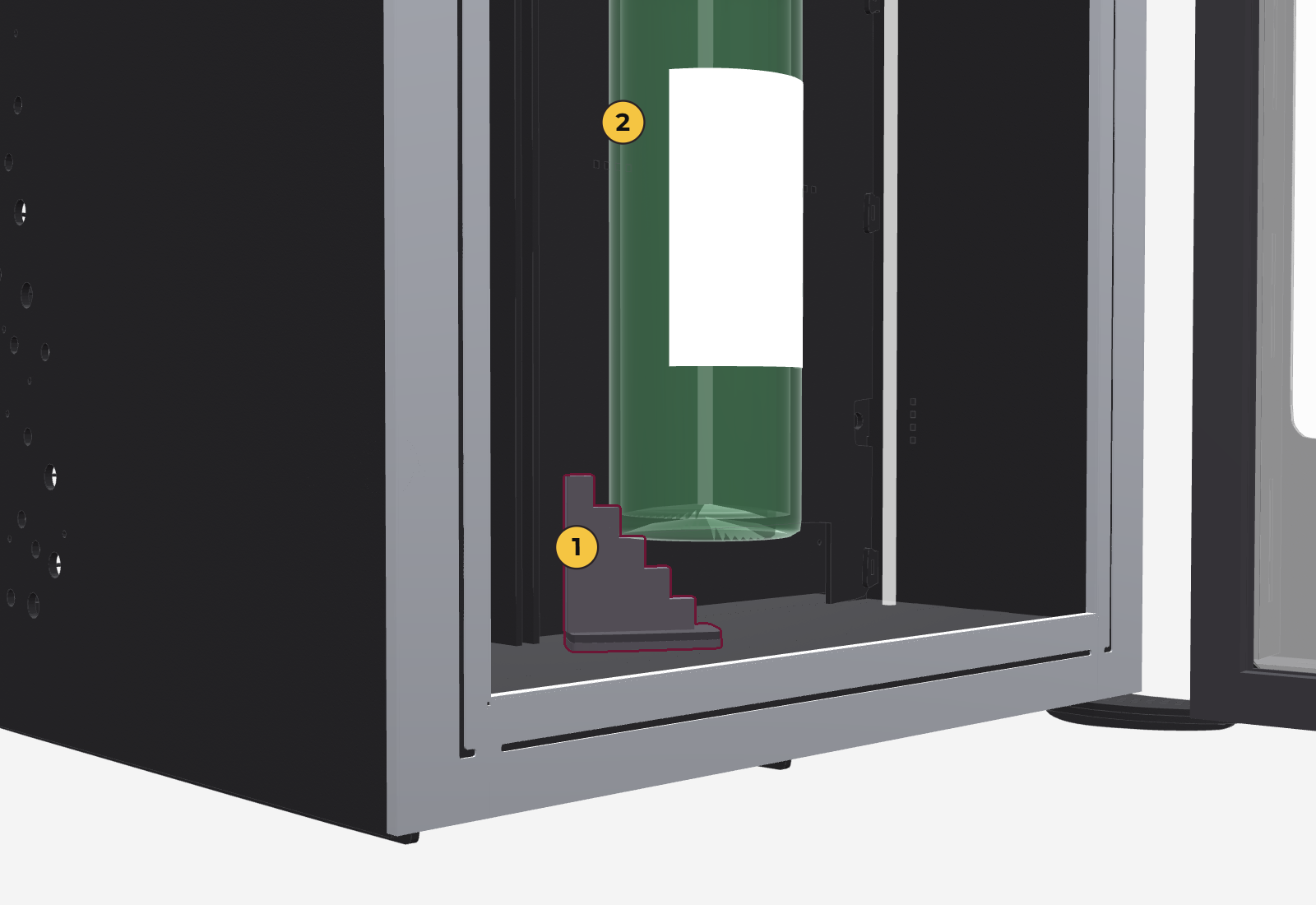
Some bottles have a slightly tapered neck and, even with the nut tightened, the gas pressure can push them down. That is what the step is for: it puts a step under the bottle so it cannot go down.
- Place it diagonally on the floor of the position, because that way it takes less room.
- It can go in from the front or the back, whichever suits you and depending on whether the divider is in place.
- Which step the bottle rests on depends on its length: the steps are 18, 30, 42, 54 and 66 mm above the floor.
- The unit comes with 2 steps; if you need more, ask Vitte.
Purging and the first glass
- New unit: it is tested with water at the factory and a little remains in the line. Serve yourself a tasting pour before the first glass.
- Switching to a very different wine before finishing the previous bottle: 2 to 3 ml of the previous wine remain in the line. Purge the same way.
- If the previous bottle was completely finished, there is no need: the gas clears the line.
Serving a glass
Each button serves from the position below it. There are two ways to serve: set pour or free pour.
Set pour (dose mode)
- Place the glass under the spout.
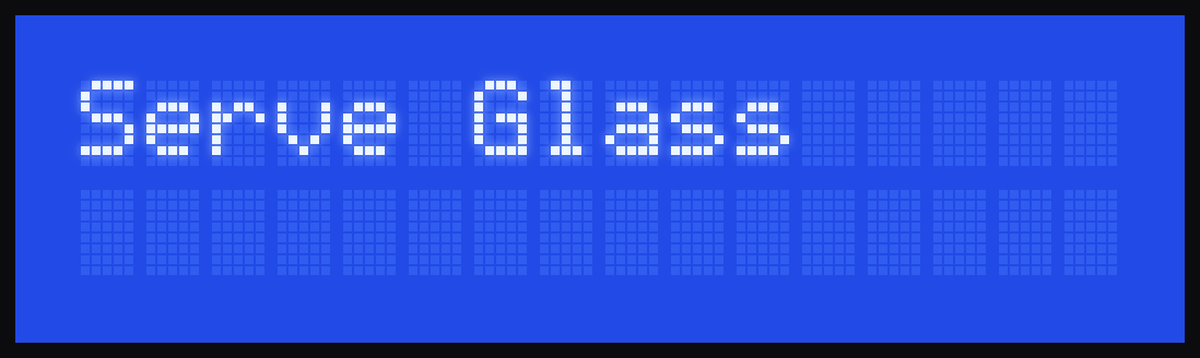
- Tap (short press) the button for that position: the display turns on and shows
Serve Tasting. - Use short presses to choose the pour: Tasting → Half glass → Glass, then it starts over.
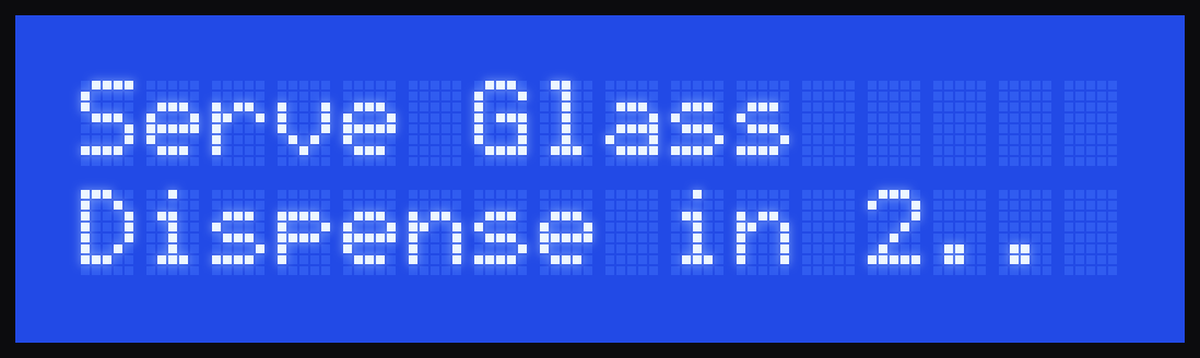
- Press and hold the button: the display counts
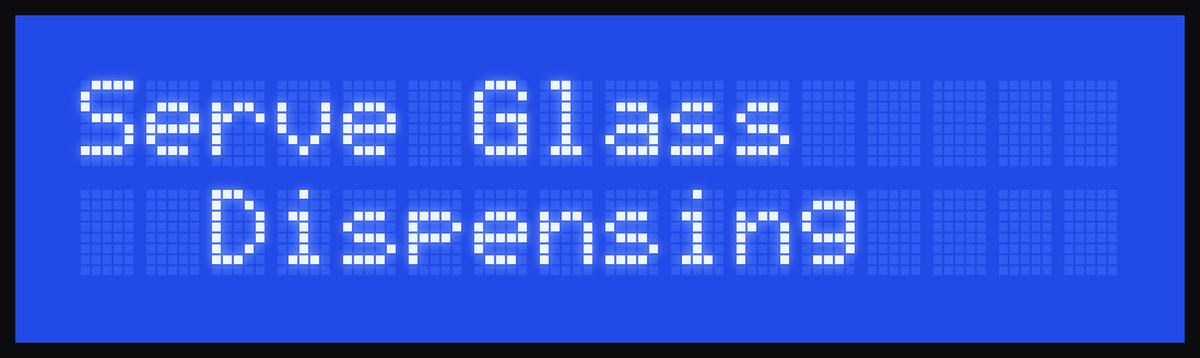
Dispense in 3..,2..,1..and after 2.5 seconds showsDispensing. You can let go now: the unit serves the selected pour. - To stop early, press the same button again.
Free pour (free mode)
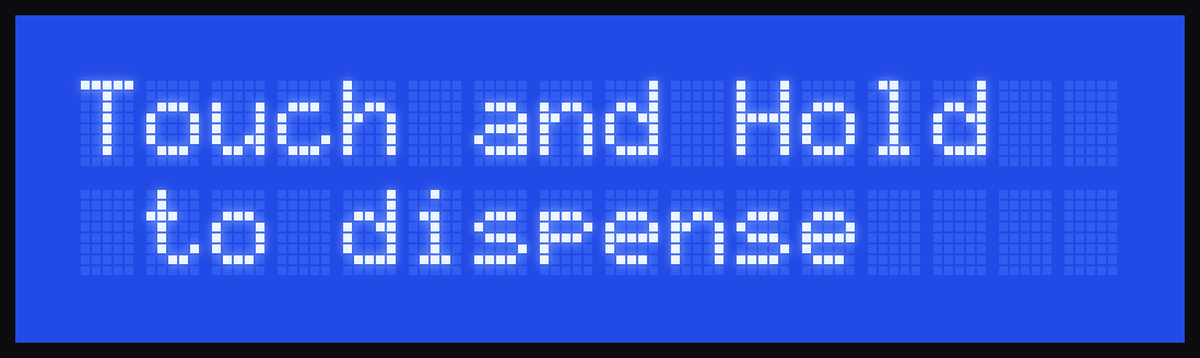
- Tap the button: the display shows
Touch and Hold/to dispense. - Press and hold: after the countdown (3, 2, 1) it starts serving.
- It serves for as long as you hold the button. When you let go, it stops right away.
The unit ships set to set pour (free mode off). To change it: 03-Config Mode → FREE mode (section 7).
Things to keep in mind
- If you release the button before the countdown ends, nothing is served.
- The display turns off by itself after 14 seconds without any input. To serve again, first give it a short press.
- When the display turns off, the next time it starts again at Tasting.
Settings menu
Temperatures, pour sizes, serving mode, light and calibration.
How to use it
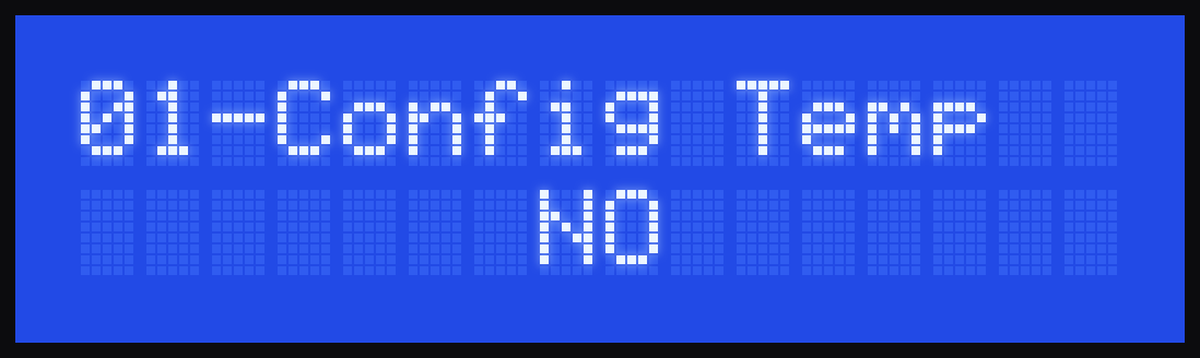
- Enter: press and hold button 1 and button 2 together for 1 second.
01-Config Tempappears. - Button 1: lowers the value, or switches between NO and YES.
- Button 2: raises the value, or switches between NO and YES.
- Button 3: confirms and moves to the next screen.
- In each section (01, 02, 03, 04), choose YES to enter or NO to skip it.
- Exit: go past the last screen with button 3, or choose NO in
04-Config Syst. The menu also closes by itself after 14 seconds without touching anything.
Changes are saved when you exit the menu (or when the display turns off by itself). If the power goes out while you are in the menu, they are lost. There is no way to exit without saving: if you made a mistake, enter again and fix it.
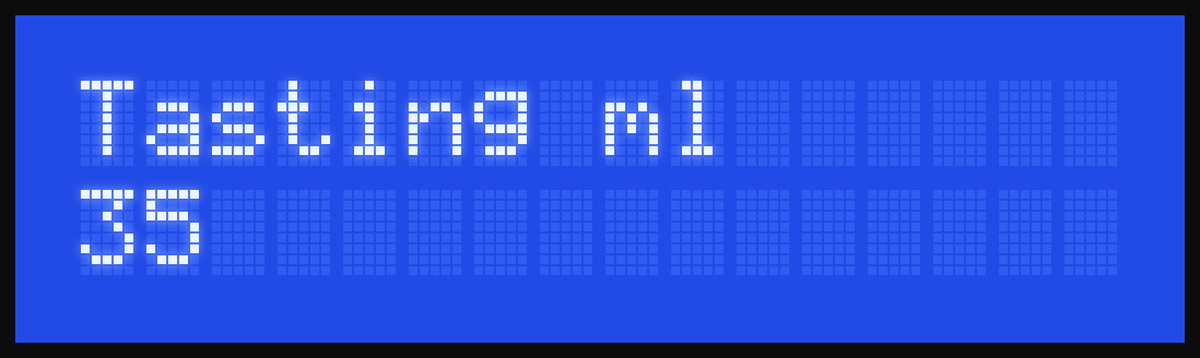
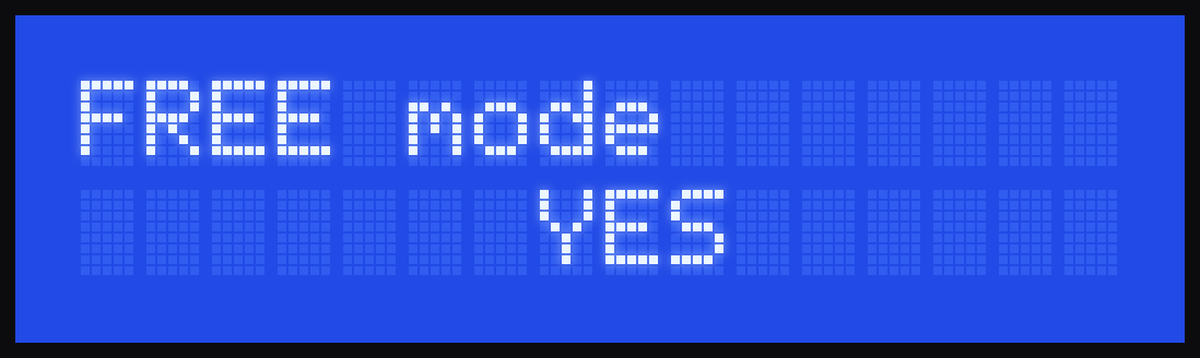
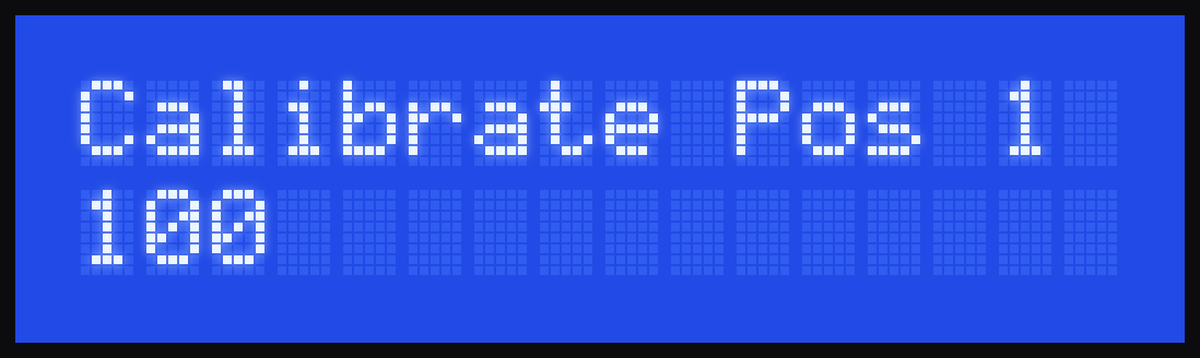
01 · Config Temp
| Screen | What it does | Values |
|---|---|---|
1-2 Temperatures 2 temperatures | Chooses one or two zones. 1 remove divider: all 3 bottles at the same temperature. 2 place divider: two zones (section 8). | 1 or 2 |
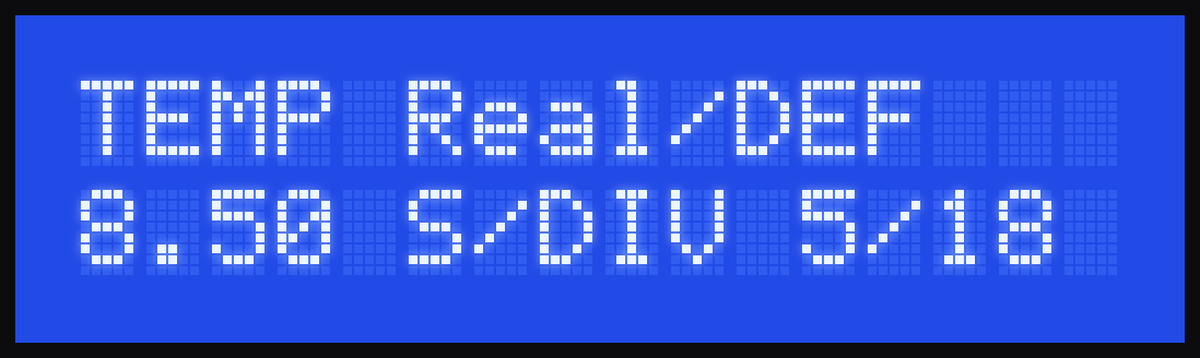
TEMP Real/DEF | Read only: the real air temperature in each zone and the defrost counter (cycles done / cycles until the next one). Example: 8.50 S/DIV 5/18. | — |
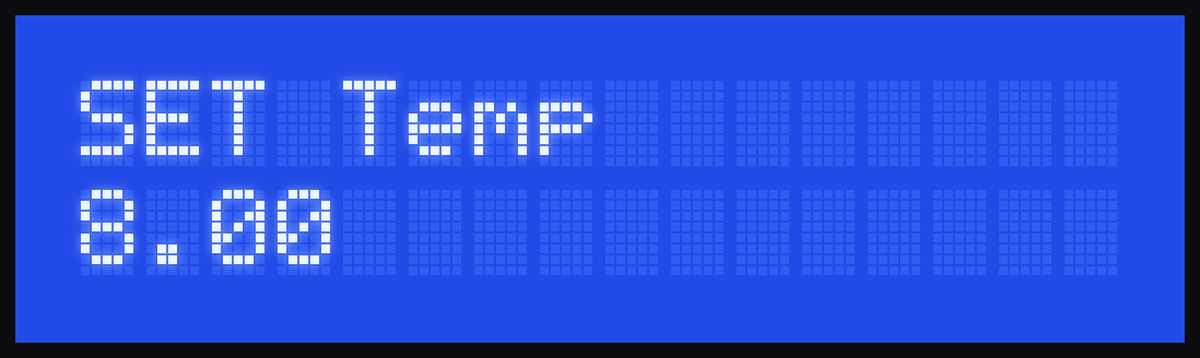
SET Temp (1 temperature) or SET Temp LEFT 2 temperatures | Temperature of all bottles, or of the left zone (bottle 1). | 5 to 19 °C, in 1 °C steps. Factory setting: 8 °C |
SET Temp RIGHT 2 temperatures | Temperature of the right zone (bottles 2 and 3). Only appears with the divider in place. | 5 to 19 °C. Factory setting: 14 °C. With the left zone below 13 °C, it must be at least 6 °C warmer: if not, the unit raises the right one by itself and shows ERR Tright>Tleft. With the left zone at 13 °C or more, there is no minimum difference |
02 · Config Qty
| Screen | Size | Range | Factory setting |
|---|---|---|---|
Tasting ml | Tasting | 25 to 35 ml | 35 ml |
Half Glass ml | Half glass | 55 to 85 ml | 70 ml |
Glass ml | Glass | 120 to 200 ml | 150 ml |
It adjusts in 1 ml steps. When you reach the maximum, the next value goes back to the minimum (and vice versa).
03 · Config Mode
| Screen | Options |
|---|---|
FREE mode | YES: pours while you hold the button. NO: pours by size (tasting, half glass, glass). See section 6. |
Inside LIGHT | Fixed: always on. Automatic: turns on when you touch a button and turns off 25 seconds later. |
04 · Config Syst
| Screen | What it does |
|---|---|
Calibrate Pos 1, 2 and 3 | Corrects how much each position pours. It is a percentage: 100 is normal, 110 pours 10 % more and 90 pours 10 % less. Range 60 to 120. |
COLD SYSTEM INFO | Read only, for technical service (ETE and ELT, see section 10). |
Soft Version | Read only: the unit's software version. |
Calibrate a position
- With a full bottle in place, pour a glass into a measuring cylinder or weigh it on a scale (1 ml of wine ≈ 1 g).
- If it poured less than the setting, raise the
Calibrate Posvalue for that position; if it poured more, lower it. For example, if you set 150 ml and got 135 ml (10 % less), change it from 100 to 110. - Exit the menu and test again until the size is right.
Temperatures and divider
How the unit cools and when to use the divider.
- Range: 5 °C to 19 °C. Factory setting: 8 °C (and 14 °C in the right zone of the 2-temperature model).
- The unit cools in cycles: it starts when the temperature rises about 2 °C above the setting and stops one degree below it. It is normal for the real temperature to vary a little.
- Automatic defrost: every so many cycles (the set temperature + 10; for example, 18 cycles at 8 °C), and only if the unit has not been used for about 17 minutes, it runs a defrost of about 50 minutes. No message appears on the display. If you touch a button, it stops and tries again later.
Cooling combinations
See how each unit can be set up depending on each module's temperature. Tap a combination or build it module by module.
All 3 bottles share a single temperature zone: set the unit for whites or for reds.
All possible combinations
Guide temperatures: whites 6 to 8 °C (43–46 °F), reds 14 to 16 °C (57–61 °F). Range: 5 to 19 °C.
With the divider, the left bottle sits in a cold zone for a white and the other two stay warmer for reds. Without it, all 3 the same.
All possible combinations
Guide temperatures: whites 6 to 8 °C (43–46 °F), reds 14 to 16 °C (57–61 °F). Each zone: 5 to 19 °C. With the left zone below 13 °C, the right zone runs at least 6 °C warmer.
The divider 2 temperatures
With two zones, the left one (bottle 1) is always the coldest. While the left zone is below 13 °C, the right one (bottles 2 and 3) must be at least 6 °C warmer: if you set a smaller difference, the unit raises the right temperature by itself, shows ERR Tright>Tleft and saves the corrected value. With the left zone at 13 °C or more, there is no minimum difference. There is no maximum difference: each zone tops out at 19 °C. The left one is not changed.
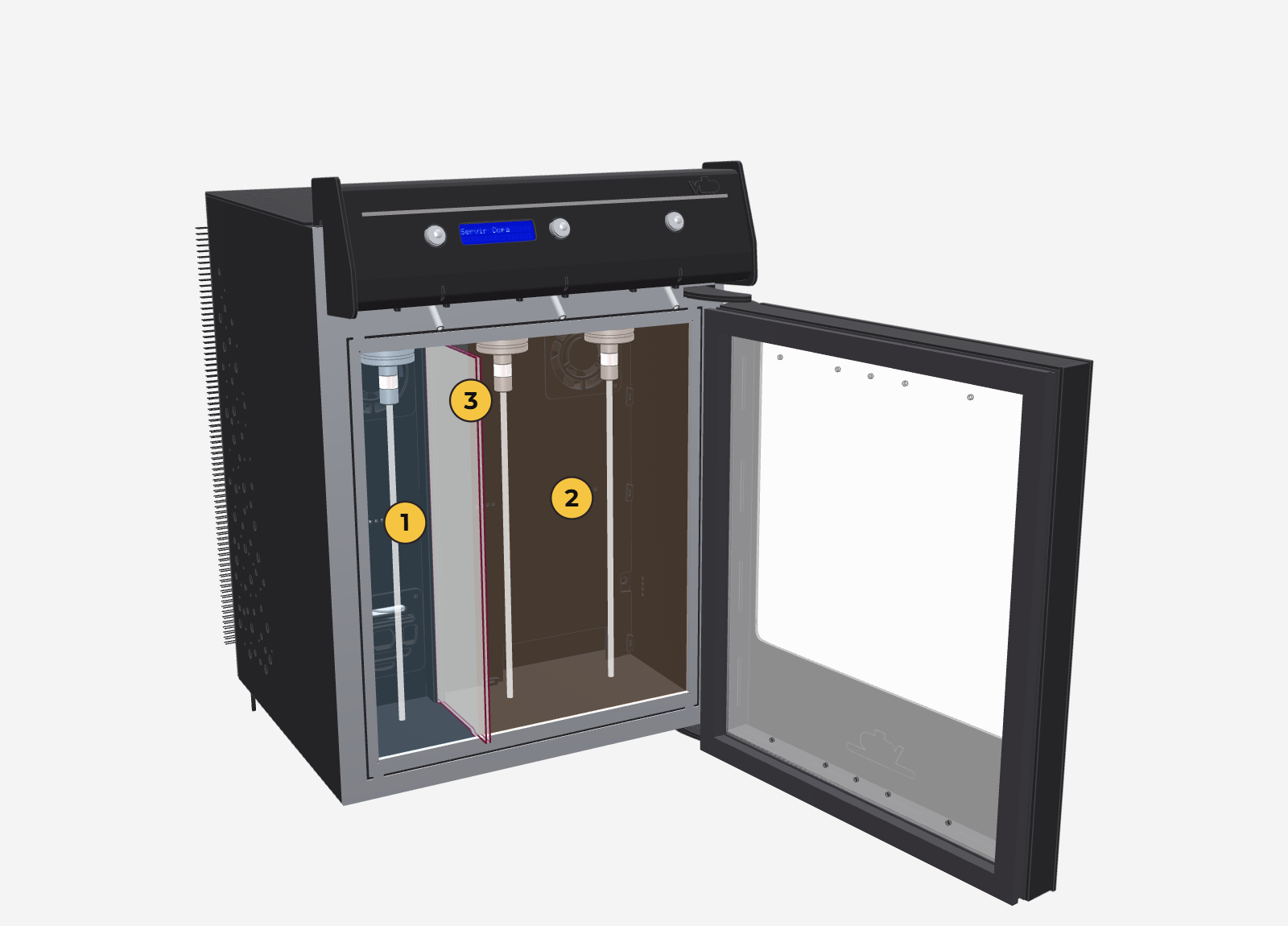
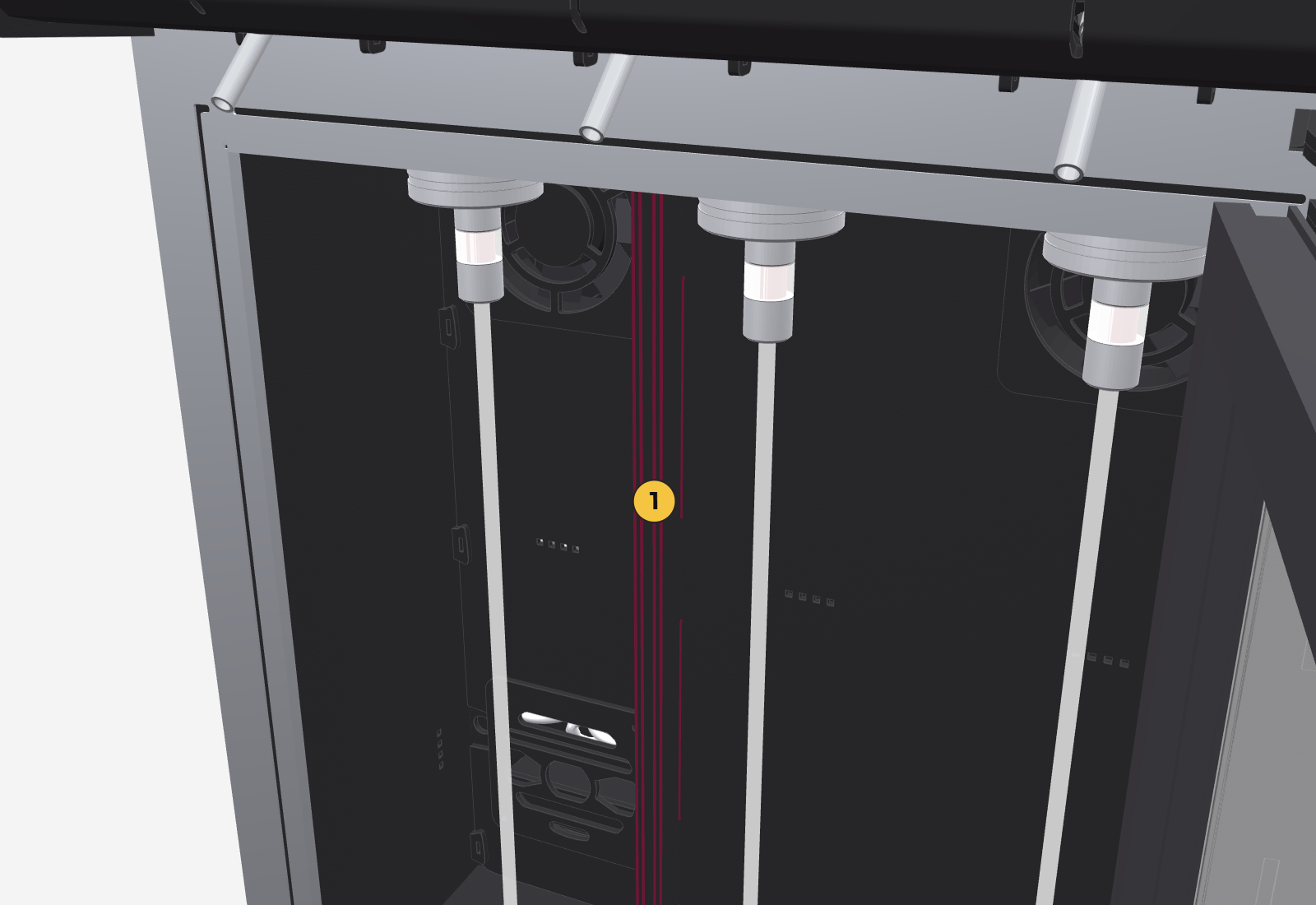
It is a 4 mm acrylic panel that separates bottle 1 (left) from bottles 2 and 3 (right), so each zone has its own temperature. Use it when you choose 2 place divider in the menu; remove it with 1 remove divider.
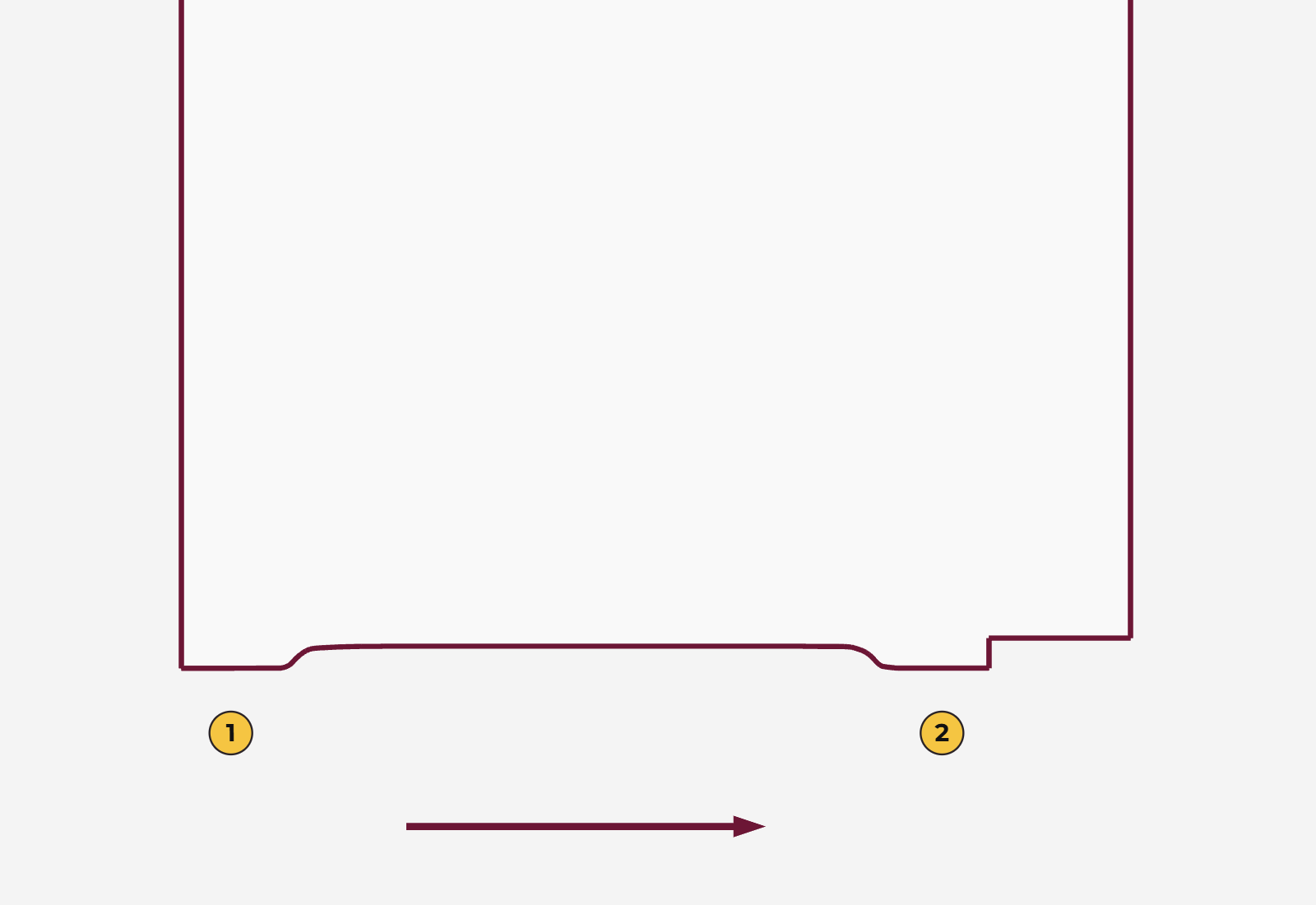
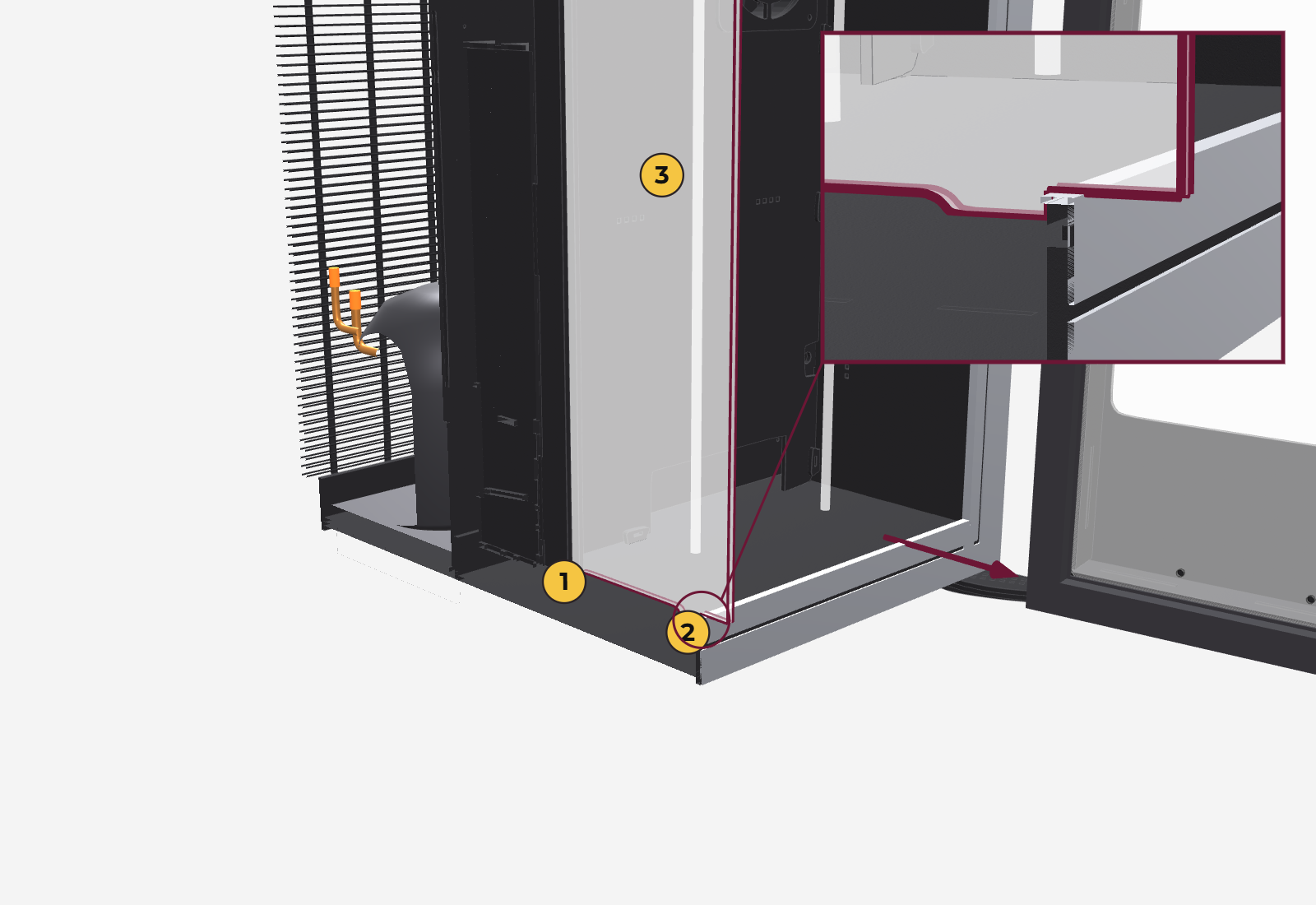
- Look at the divider edge-on: at the bottom it has two protruding tabs. The back one, flush with the rear, goes into the slot; the front one is about 15 to 20 mm from the front.
- Fit the back tab into the slot at the back, between position 1 and position 2.
- Slide the divider forward until the front tab stops against the small step on the floor.
- Close the door: the door pushes it inward and both acrylic panels rest against each other, isolating one zone from the other.
Cleaning
Essential every 15 to 20 days, to prevent clogs and keep the wine from changing taste.
Clean one position at a time, using an empty wine bottle filled with boiling water.
- Fill an empty wine bottle with boiling water and place it in the position you are cleaning. Hold it with a dry cloth so you don't get burned.
- Put a container under the spout and pour 1 glass (the largest measure).
- Wait about 30 seconds and pour another glass.
- Now wait about 1 minute, so the whole line and the valve heat up.
- Pour 5 or 6 tastings in a row, one right after the other.
- Check that the spout has stopped dripping. If it keeps dripping, repeat the whole process once more.
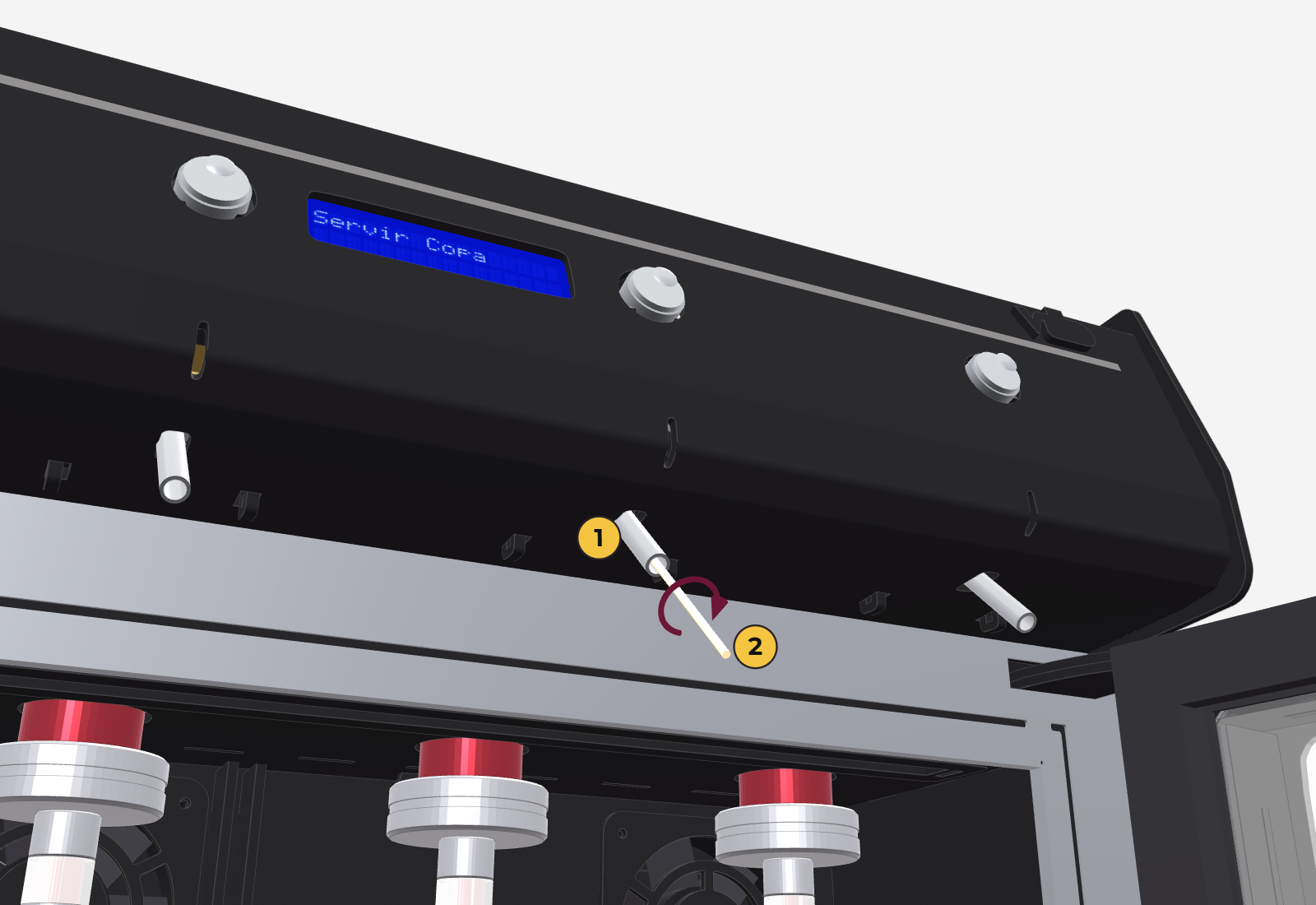
If sugar is stuck in the spout: use a toothpick, go in no more than 1 cm and remove it. Put a paper napkin underneath so you don't get stained.
If the unit is in free mode, there are no sizes: hold the button for a few seconds to pour the water. Or switch it to dose mode while you clean (section 7).
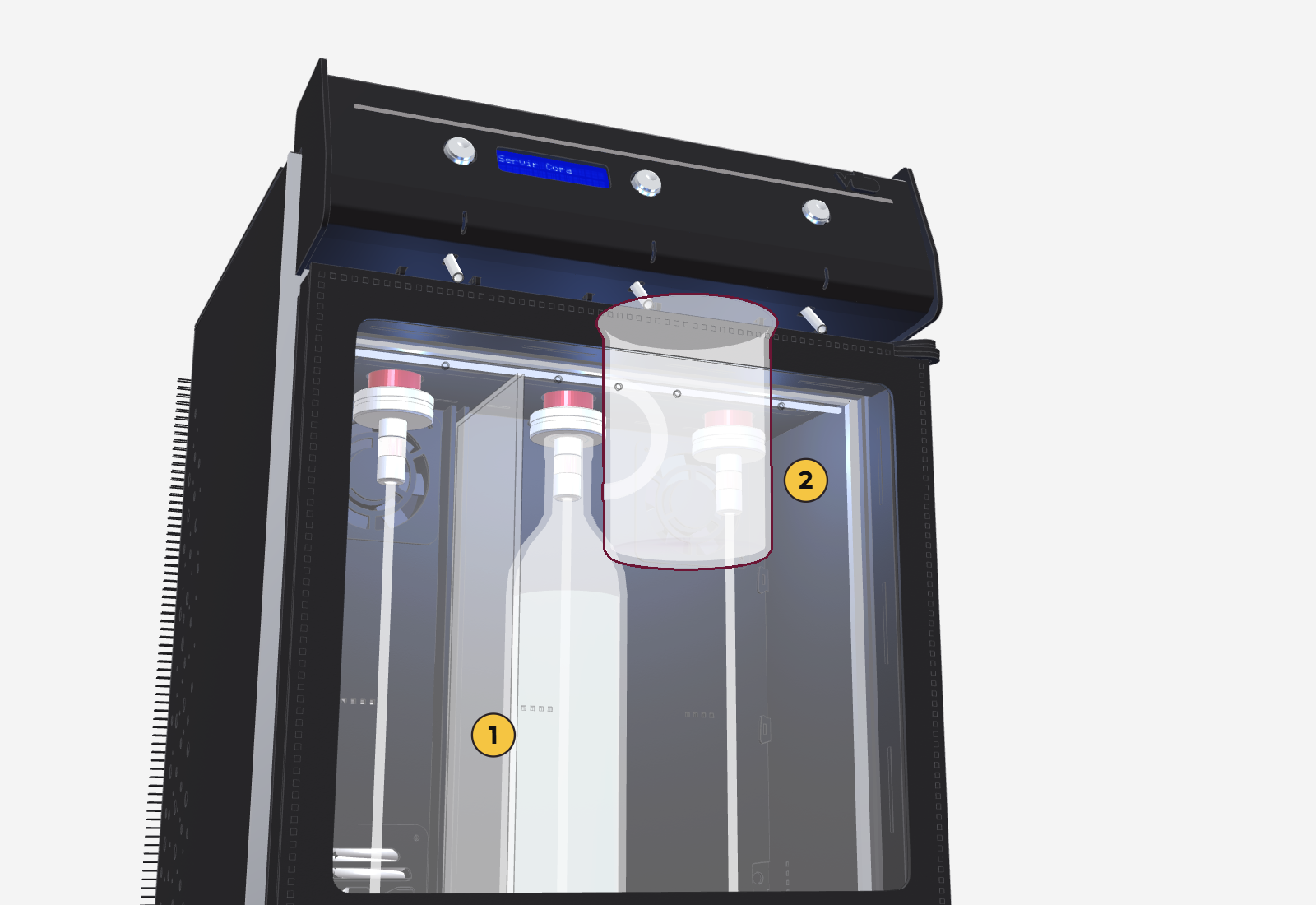
If the unit will not be used for a while, remove the bottles, clean all positions and leave the lines free of wine: this is a warranty condition.
FAQ and troubleshooting
The inside light is blinking
This is the cooling error warning: the compressor ran for 2 hours without getting below 19 °C, and the unit stopped cooling to protect itself. It may be excessive freezing or a fault.
- Unplug the unit and leave it disconnected overnight (about 10 hours) so it can defrost.
- Plug it back in. If it starts blinking again after a few hours, call an authorized service center.
While defrosting, the water tray may not be enough and may overflow. Protect the furniture and anything near the unit.
No wine comes out
- Check that the gas has not run out and that the cylinder is open (gauge showing pressure).
- Check that the bottle is firmly secured in the hanger.
- There may be a clog: clean that position (section 9).
- Remember: first give a short touch, then hold the button for 2.5 seconds.
It pours too much or too little
Calibrate that position from the menu: 04-Config Syst → Calibrate Pos (section 7).
The display shows something odd or freezes
Unplug the unit, wait 10 seconds and plug it back in.
The light turns off by itself
It is in Automatic mode. If you want it always on: 03-Config Mode → Inside LIGHT → Fixed.
The display shows «ERR Tright>Tleft»
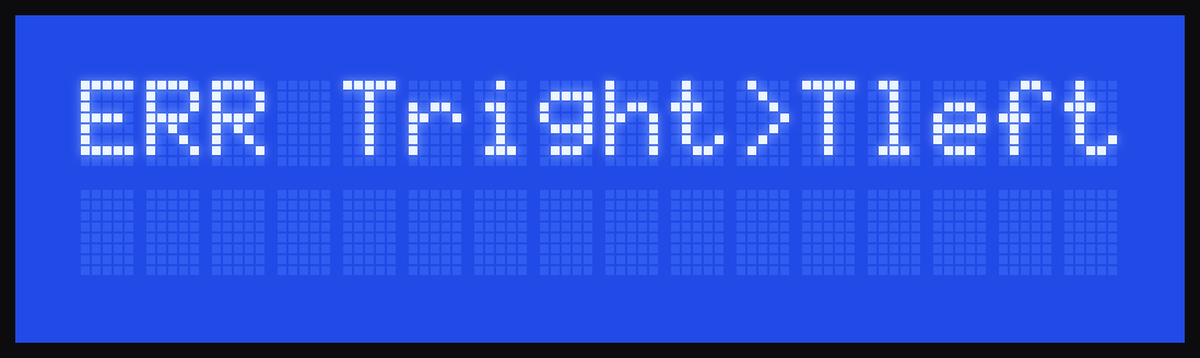
On the 2-temperature model, the right zone was set too close to the left one. The unit corrects it by itself; check the values in 01-Config Temp.
I changed the settings and they were not saved
Changes are saved when you exit the menu or when the display turns off by itself. If the power went out before that, they are lost: enter them again.
What ETE and ELT mean in «COLD SYSTEM INFO»
They are counters for technical service. ETE: cooling cycles that timed out without reaching the temperature. ELT: invalid temperature readings. If either one goes up a lot, contact support.
Can I load a bottle and pour it right away?
It is not recommended if the bottle is at room temperature: the unit takes about 2 hours to bring it to serving temperature. Reds are ready sooner; whites are the most critical. To pour right away, load the bottle already chilled.
Support and warranty
How to get help and what the warranty covers. This is a summary of the warranty certificate; the full certificate is what applies.
Technical support
- Argentina — technical service WhatsApp: +54 9 11 4087-4685, Monday to Friday, 8 am to 6 pm.
- Website: vittewine.com, After-sales section.
When you write, send your name, the unit's address, the business name, a short description (a video is better) and the days and times when you can be contacted. Support is first provided by video call.
Warranty
- 12 months from delivery, for manufacturing defects.
- Condition: clean the unit at least every 20 days and, if it is not used for a while, leave the lines clean and free of wine.
- It does not cover impacts, breakage, misuse, humidity, sun, heat, power surges, lack of grounding, poor ventilation or repairs made by third parties.
- Electronic components are inspected within 15 days of receiving the unit.
- Replacing the gas hoses is the customer's responsibility.